
Apps & Digital Experiences
Build an experience around the way you want people to engage
Sometimes the bridge between a leader and their audience is digital. We design and build apps, portals, and tools that make it easy for people to take part, and easier for your team to serve them.
- iPhone
- Android
- Web
- Screens in the room
How we think about it
One system, every screen
The people you serve use it on their phones. Your team runs it from their desks. The room you gather in shows it on the wall. We build all three on one system, so everyone sees the same thing at the same time.
In their hands
An app for the people you serve, on iPhone, Android, and the web.
At your team's desks
The tools your team works from, with the busywork automated.
In the room
Screens, kiosks, and check-in for the places you gather.
Featured: The Cedar Gate
A club where every member feels known
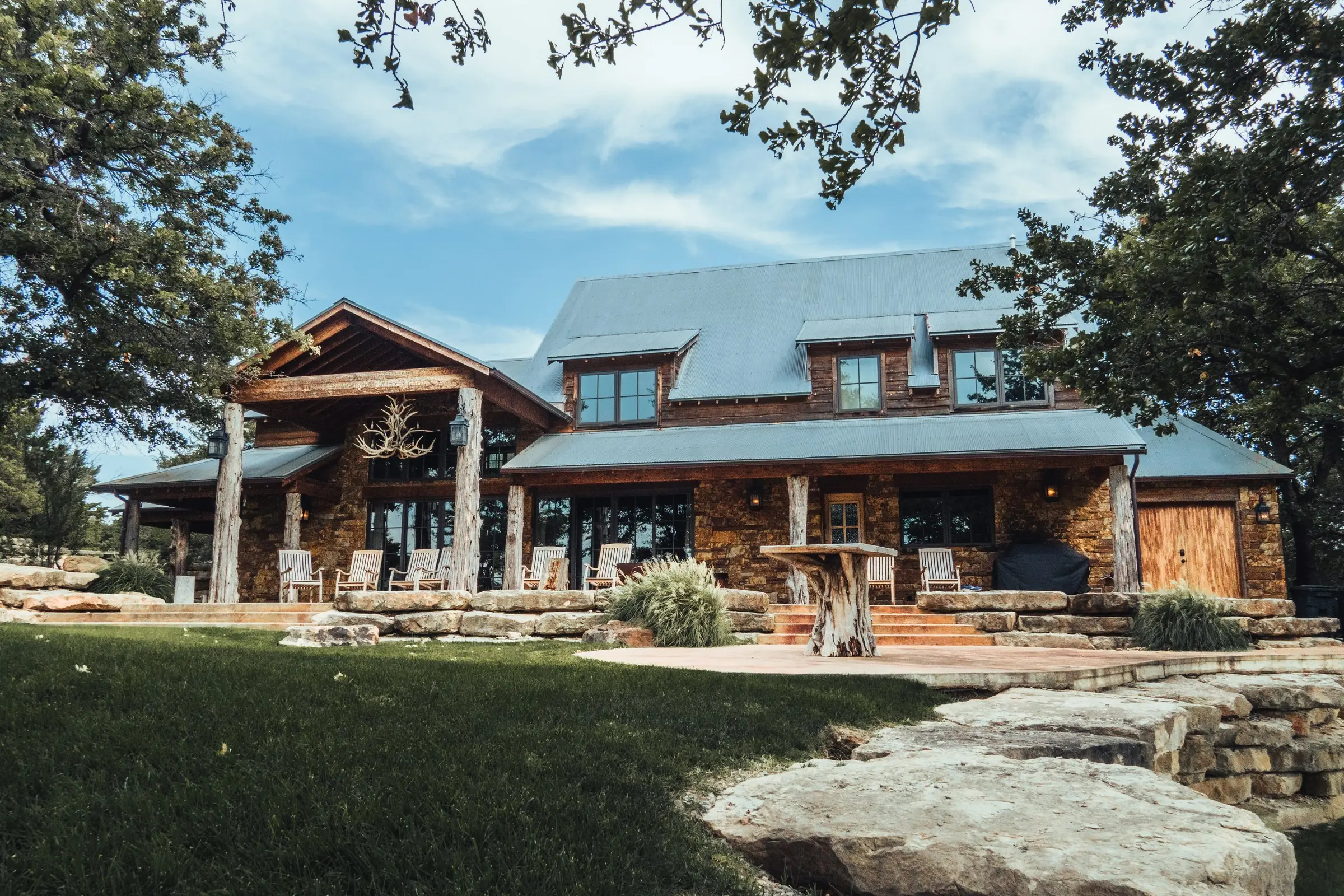
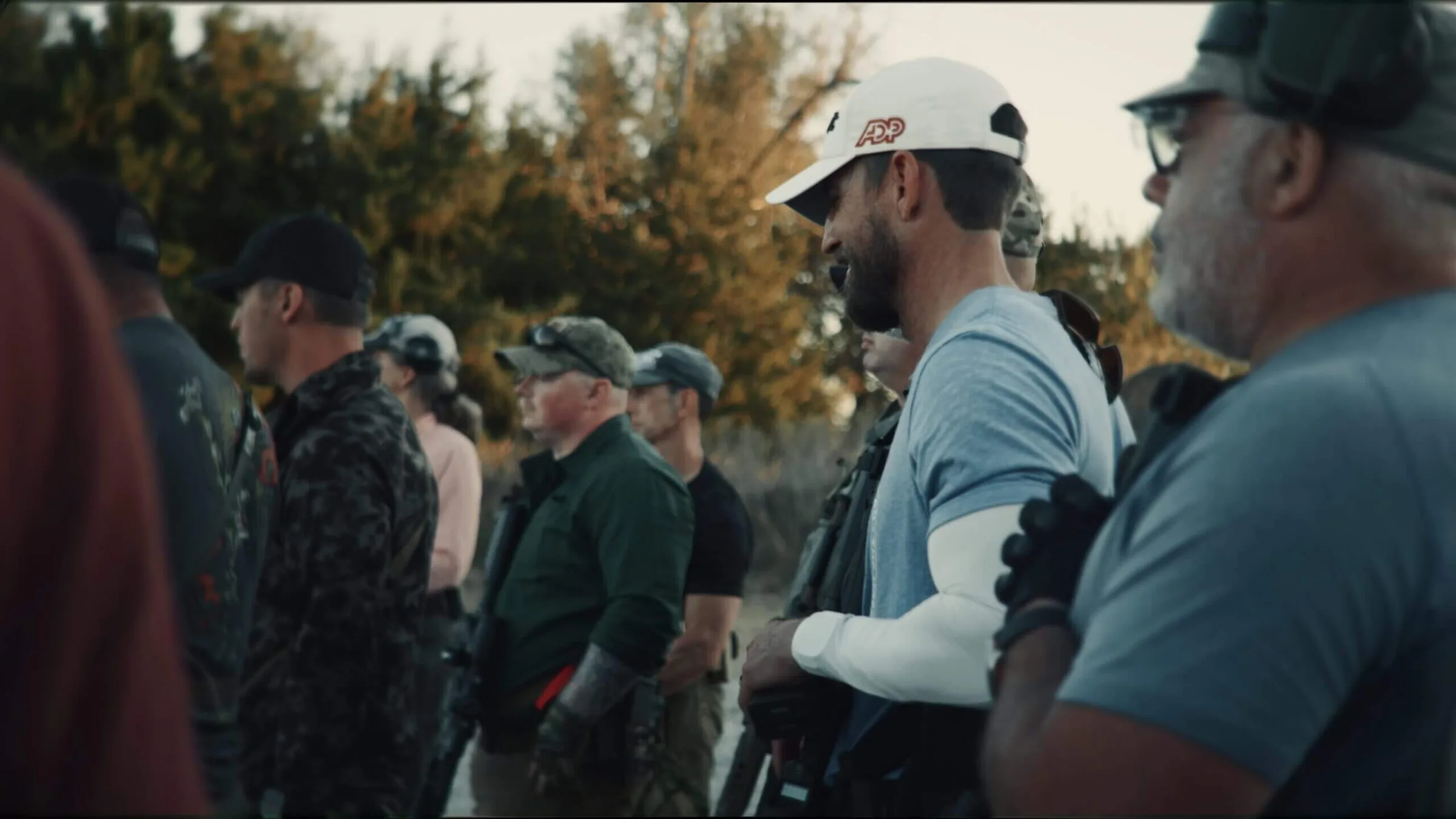
The Cedar Gate is a membership club in Oklahoma built around clay shooting, events, and time on the property. We built its member app, the screens at the club, and an office system for the team, all as one. It launched on September 22 and has been in use since.
- In their hands
- At your team's desks
- In the room
In their hands
The member app
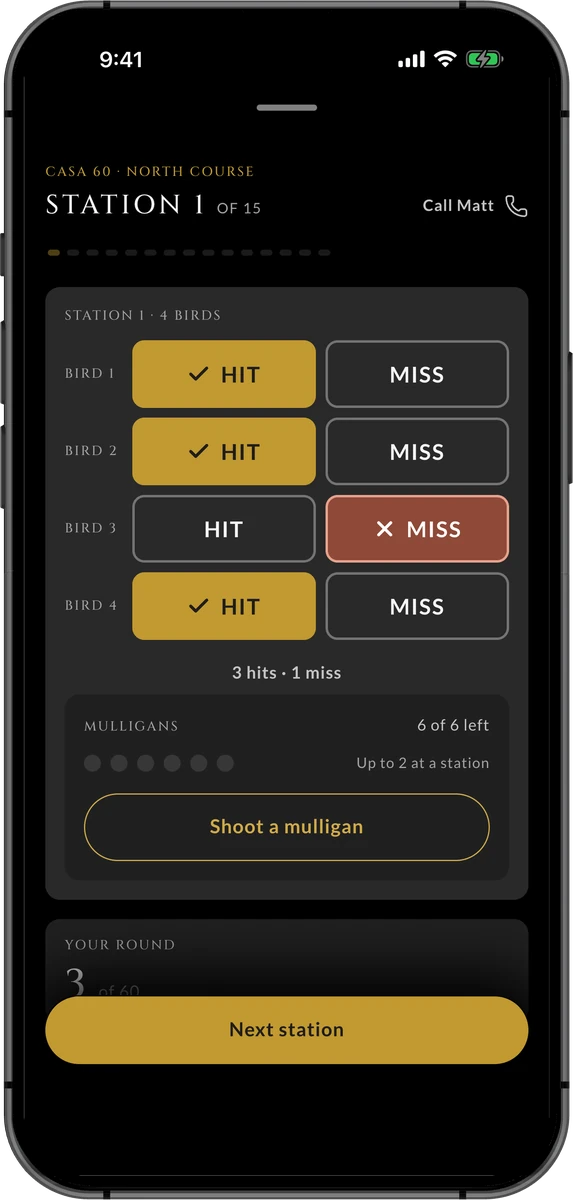
Members sign in with their email, no password. They score each shot with a tap, even with no signal. They sign up for events, add their photos, and find each other. It's in the App Store and on Google Play.
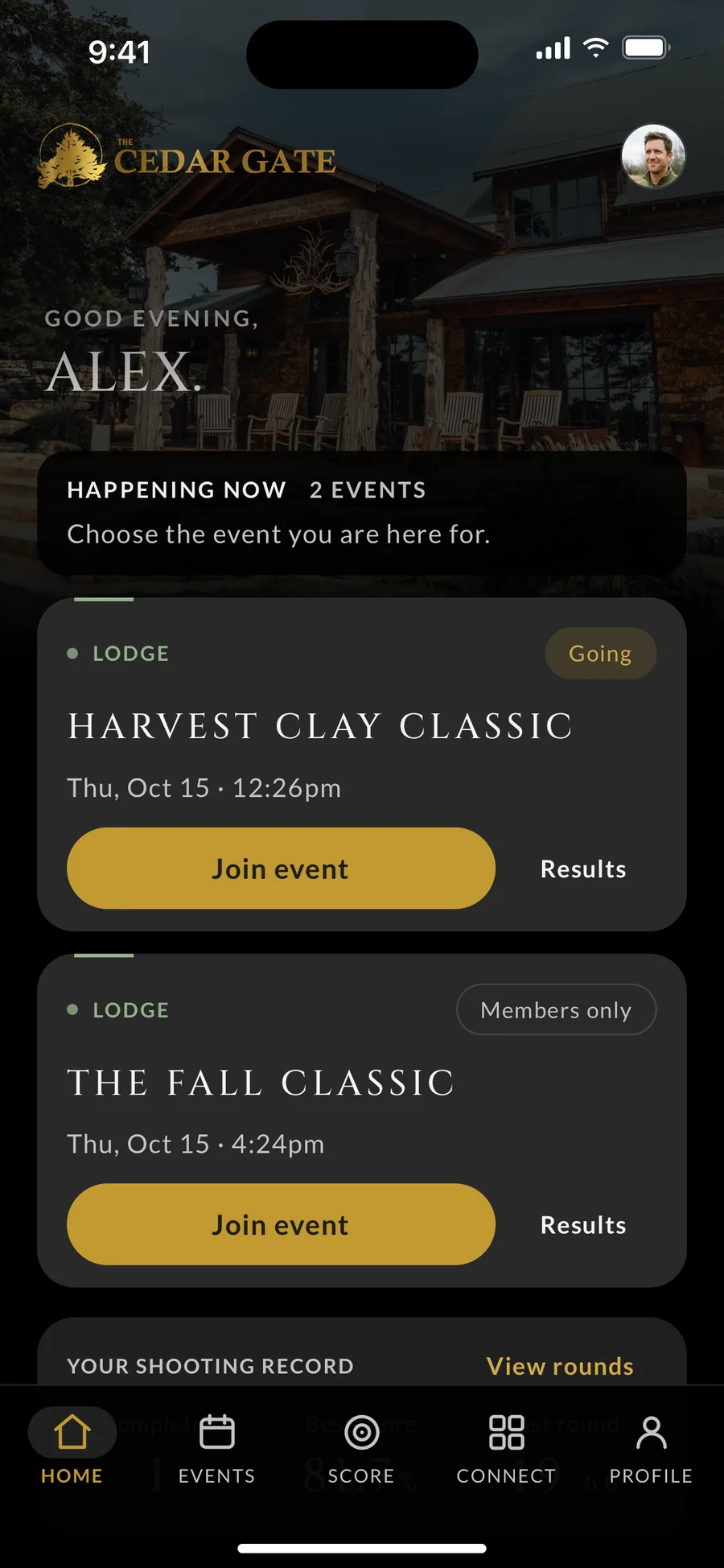
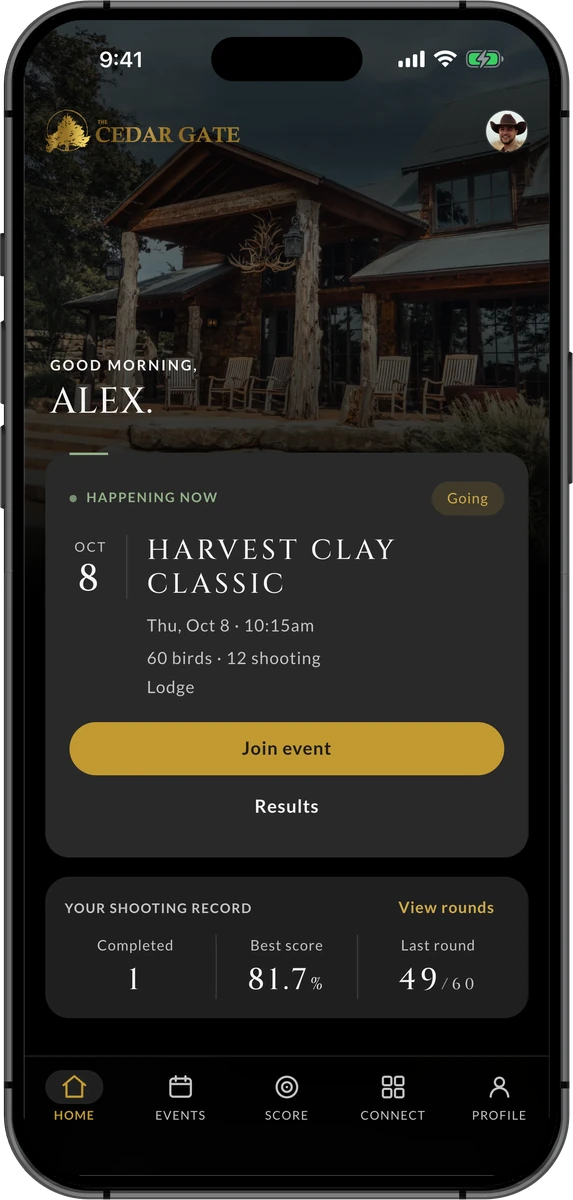
Home: what's happening now, and the member's own shooting record.
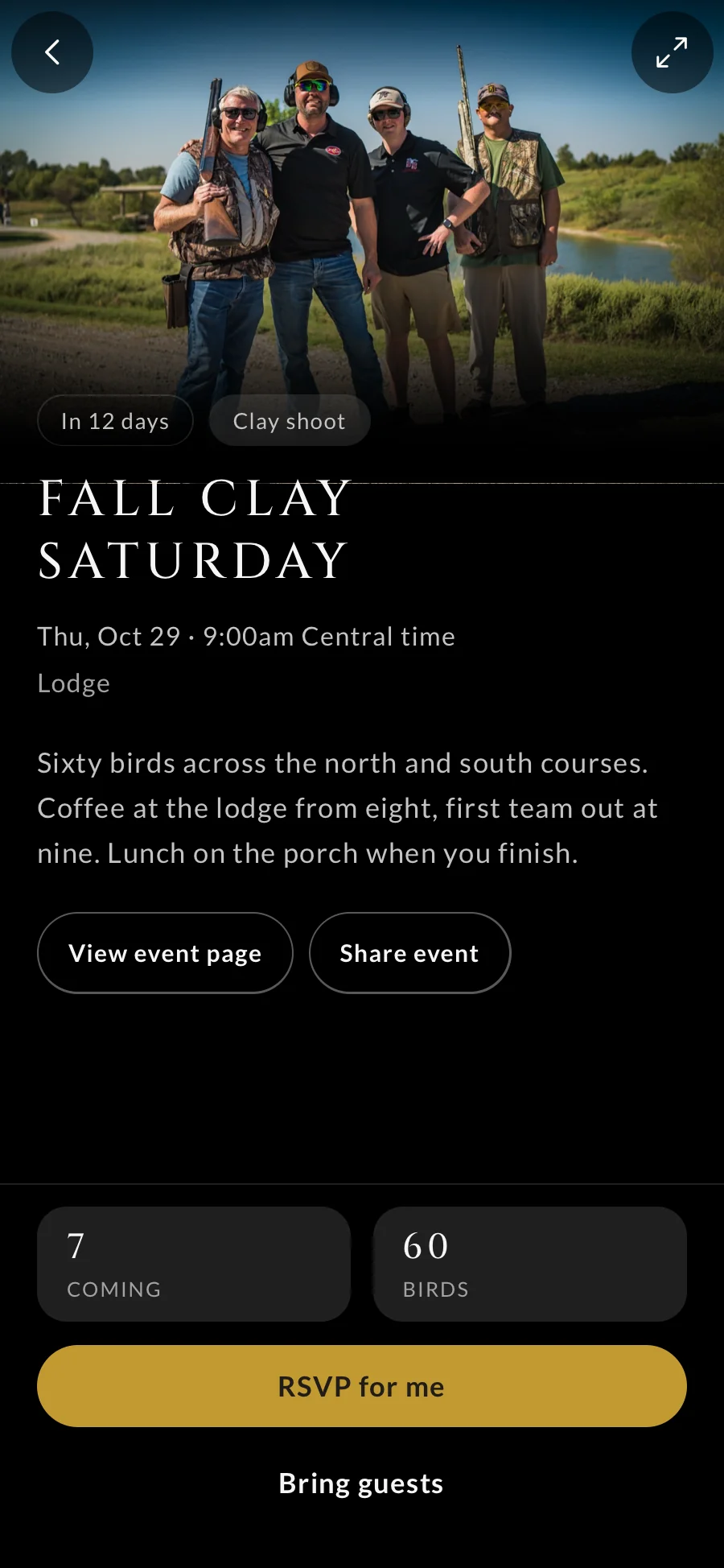
An event: the day's schedule, what's included, and a way to sign up.
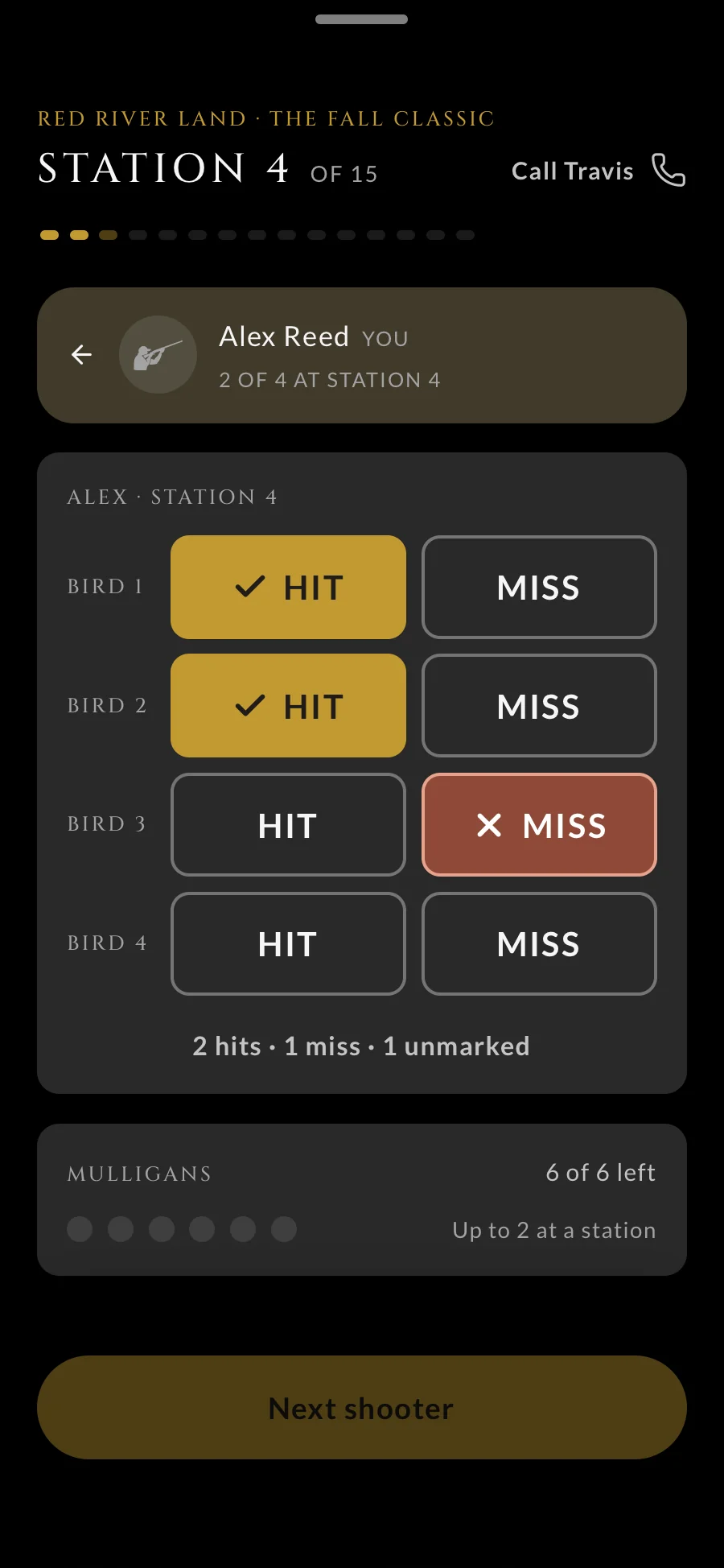
Scoring: a tap for each hit or miss, saved even with no signal.
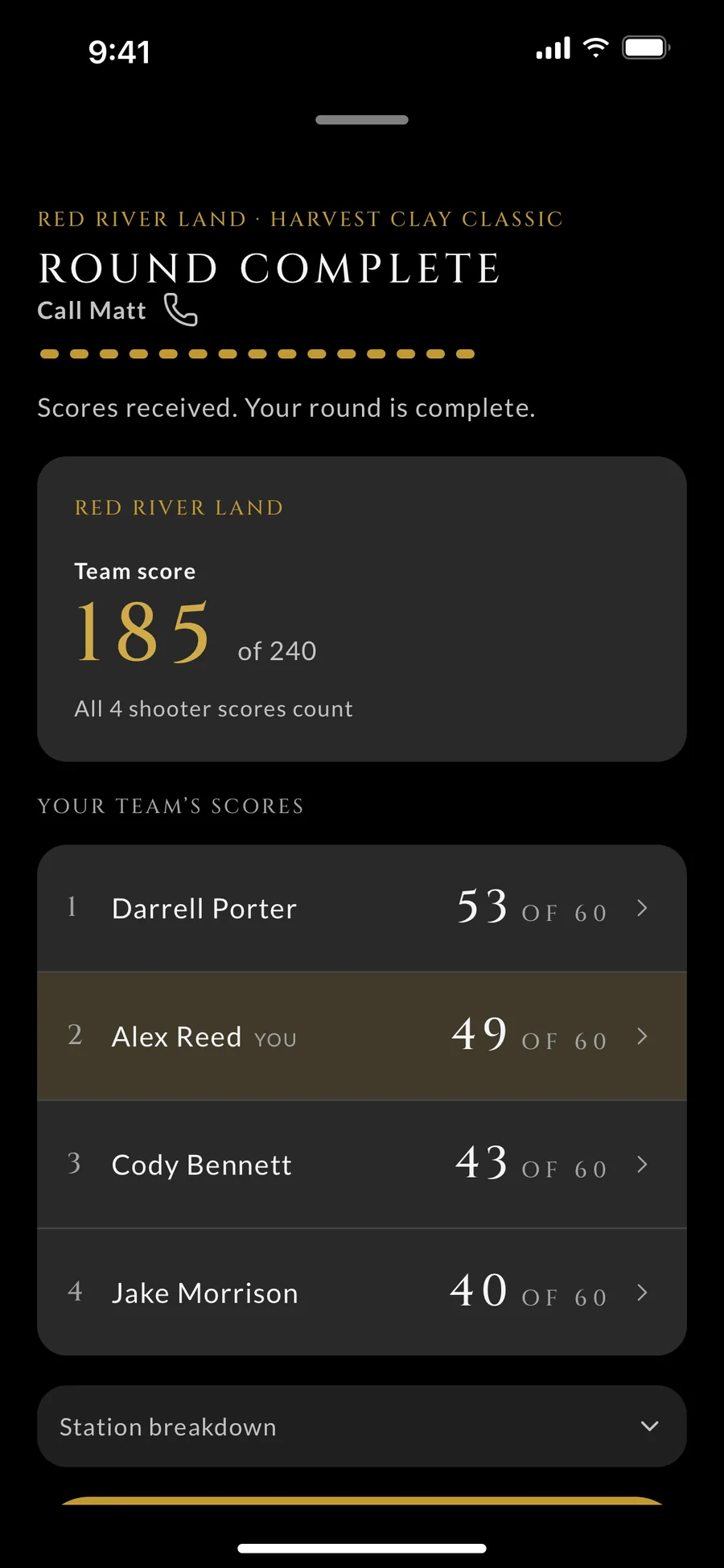
The round: every shooter's score and the team's total.
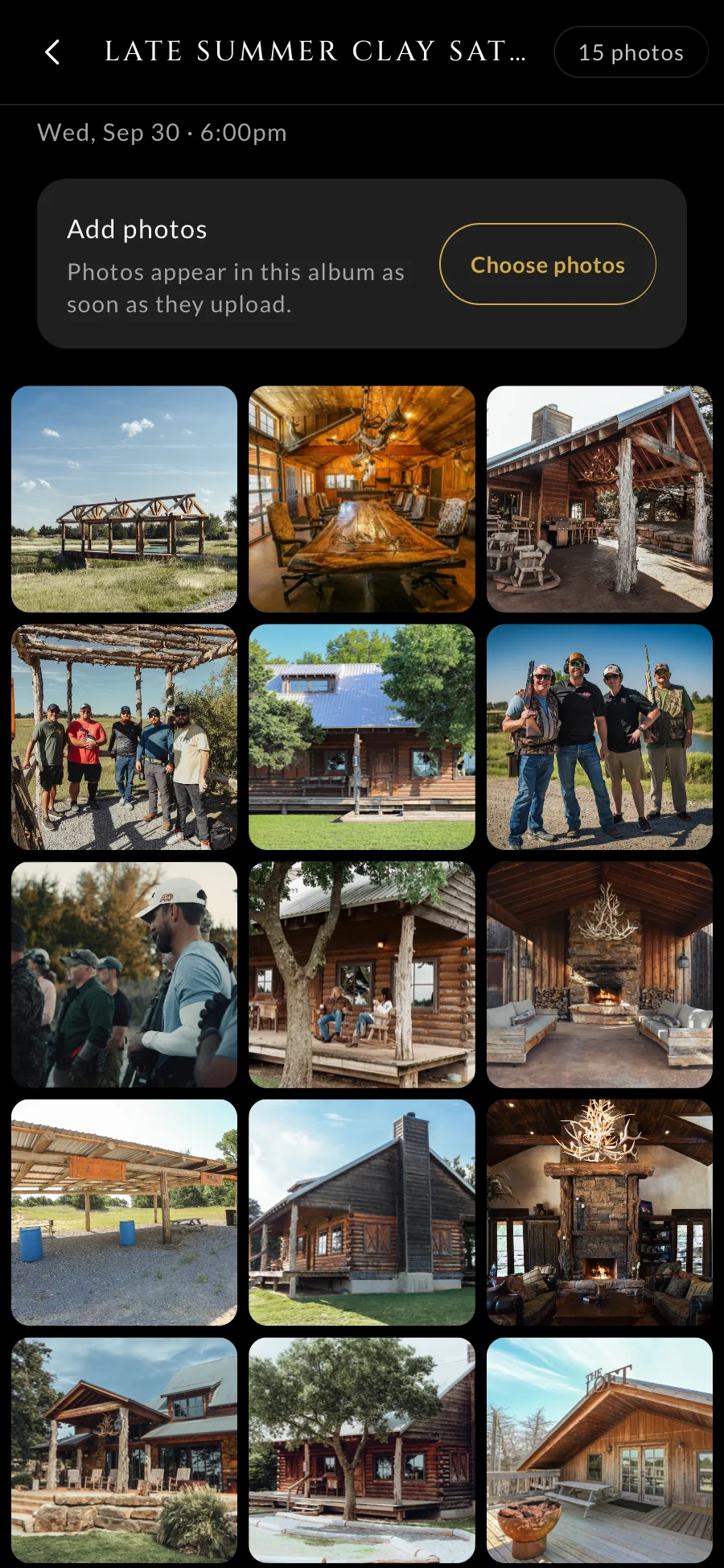
Photos: every event's album opens the moment it starts.
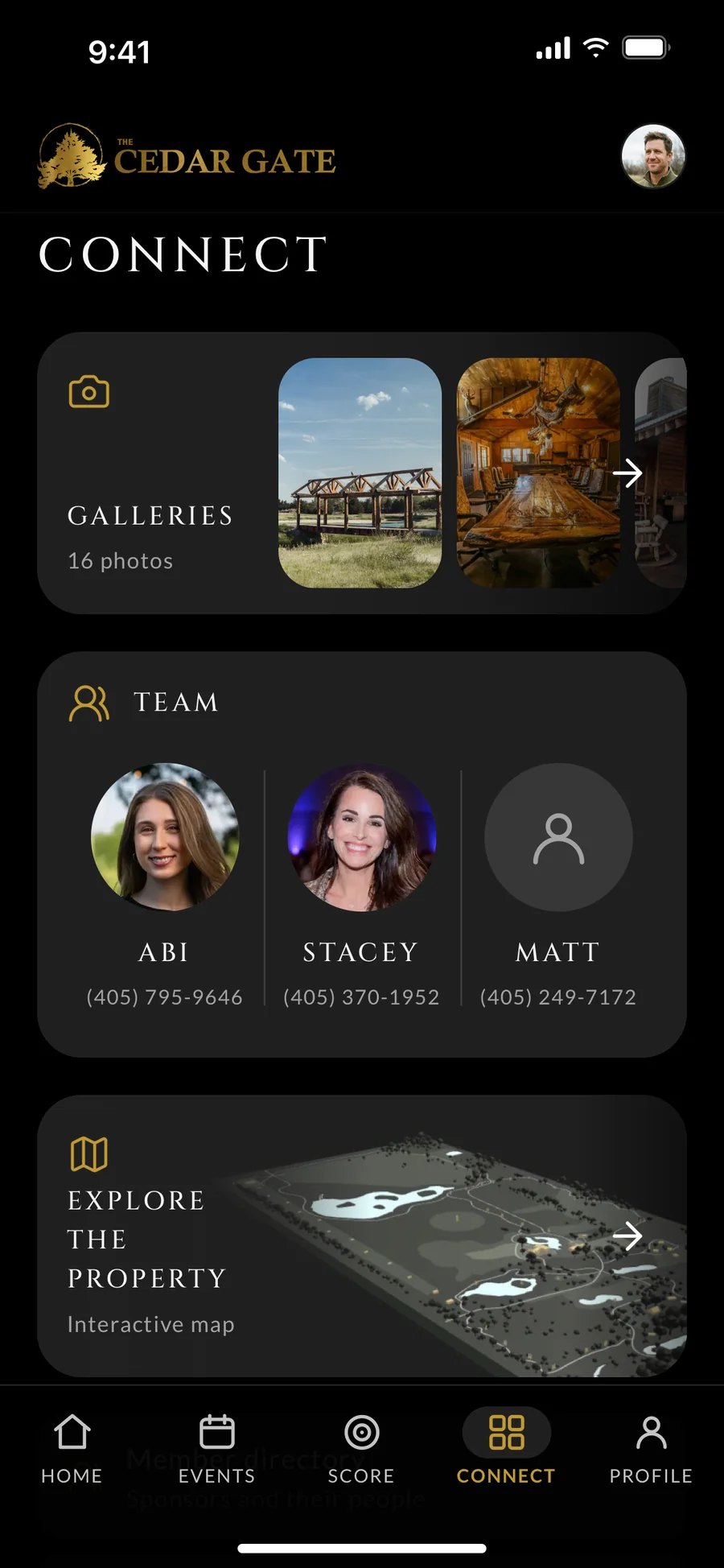
Connect: the members and sponsors behind the club.
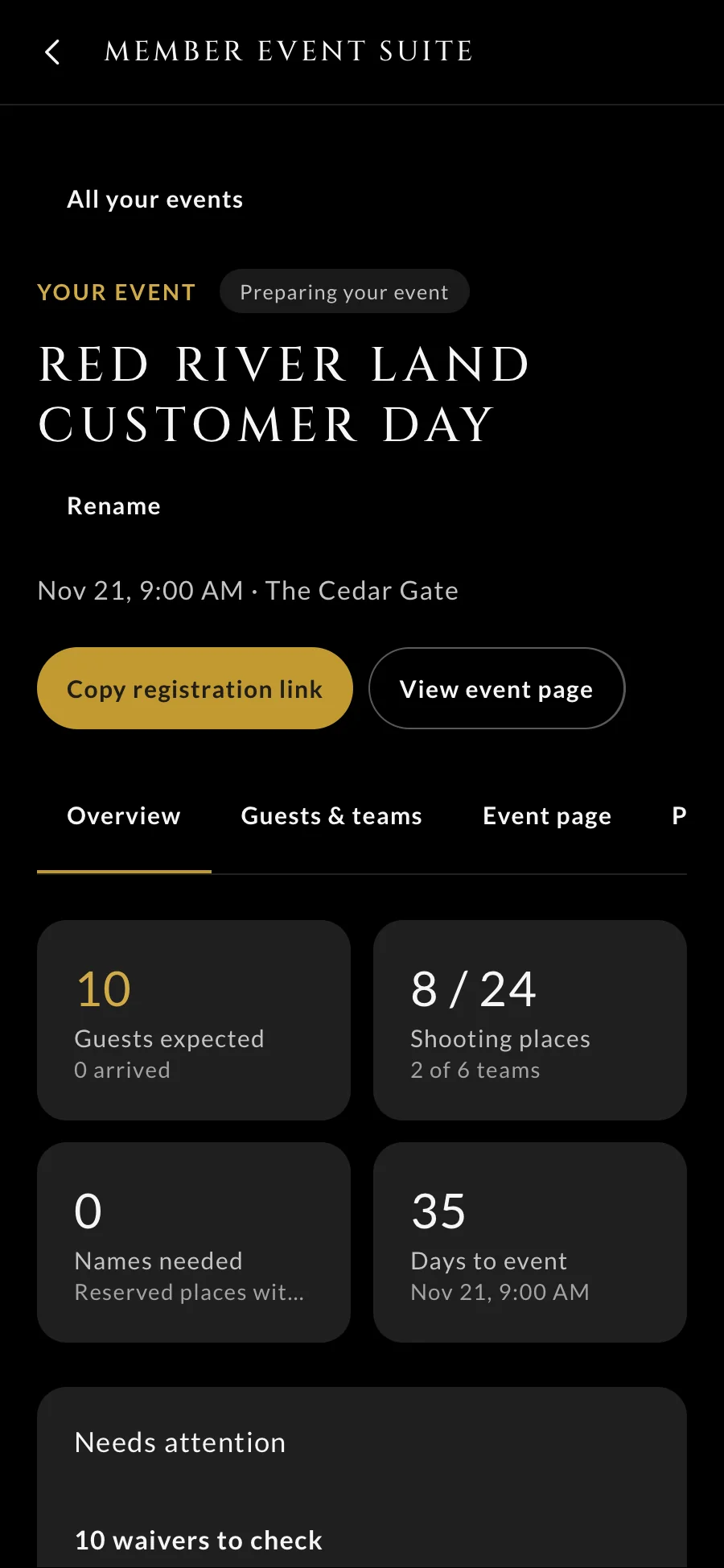
Hosting. Members who host their own events run them from their phone: the guests, the teams, and the day's schedule.
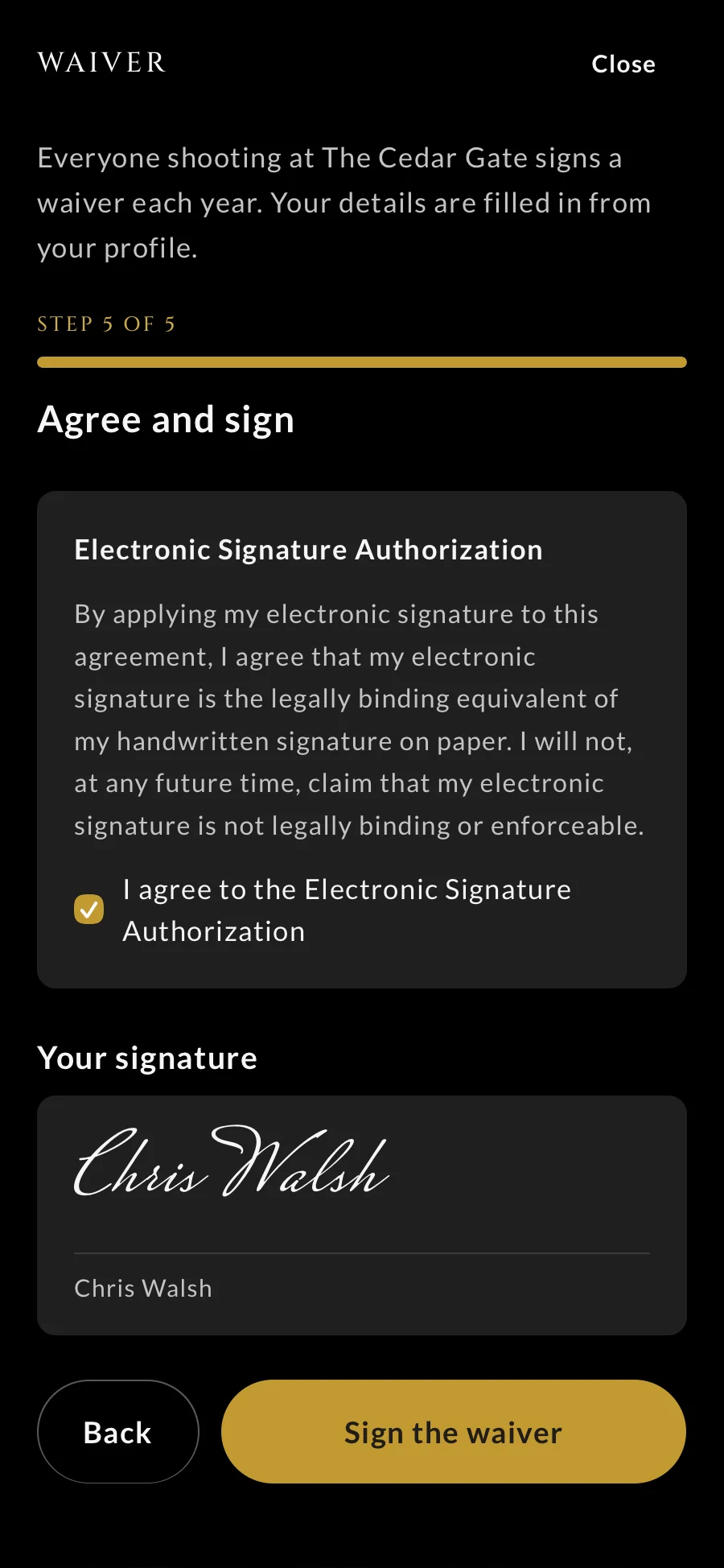
The waiver. Anyone without a current waiver signs one in the app before they shoot.
At your team's desks
The office
The team runs members, renewals, onboarding, bookings, and every email and text from one place. They build their own automations, and they can work in it from their own ChatGPT.
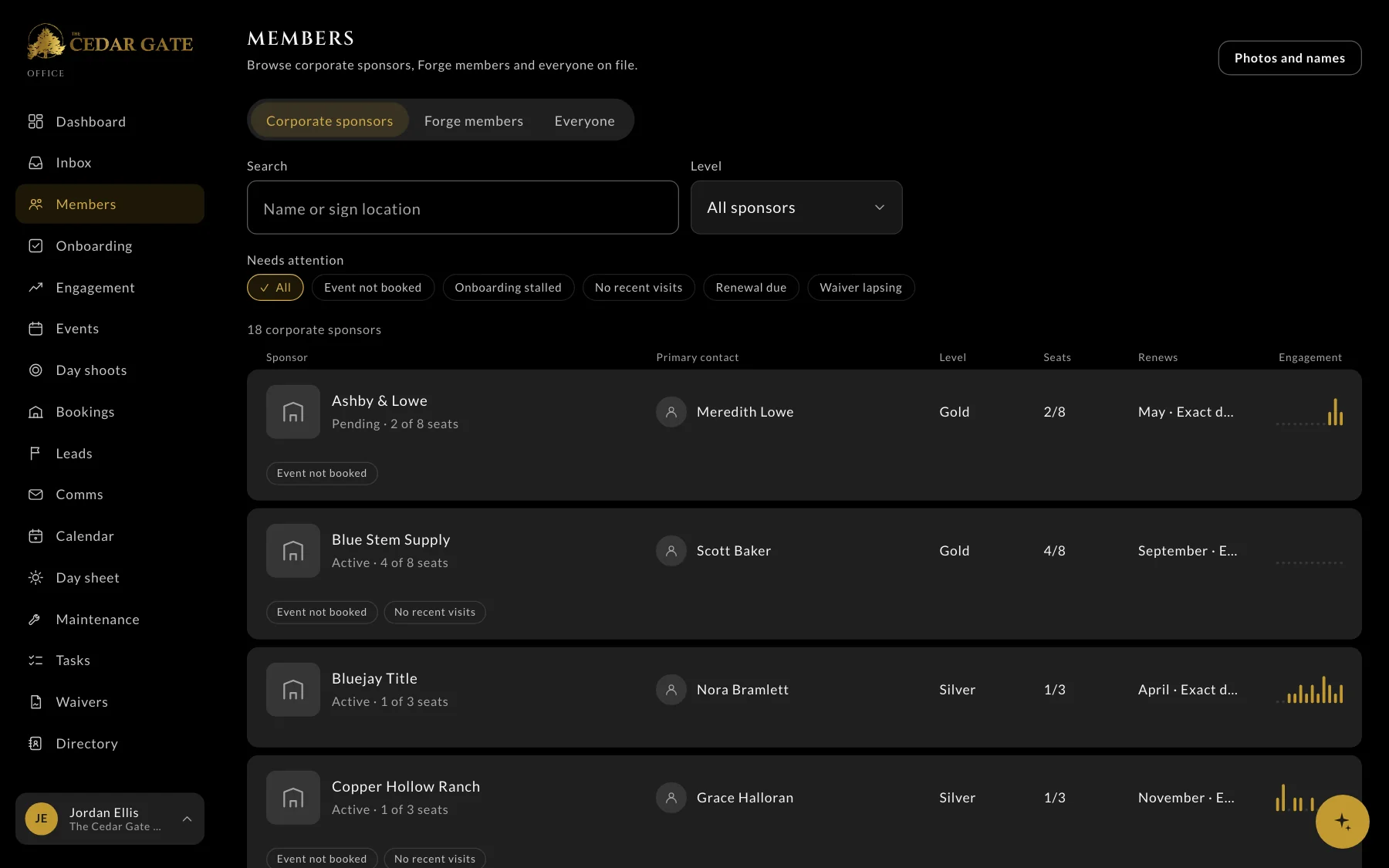
- 1Who needs attention: no event booked, renewal due, waiver lapsing
- 2How engaged each sponsor is, at a glance
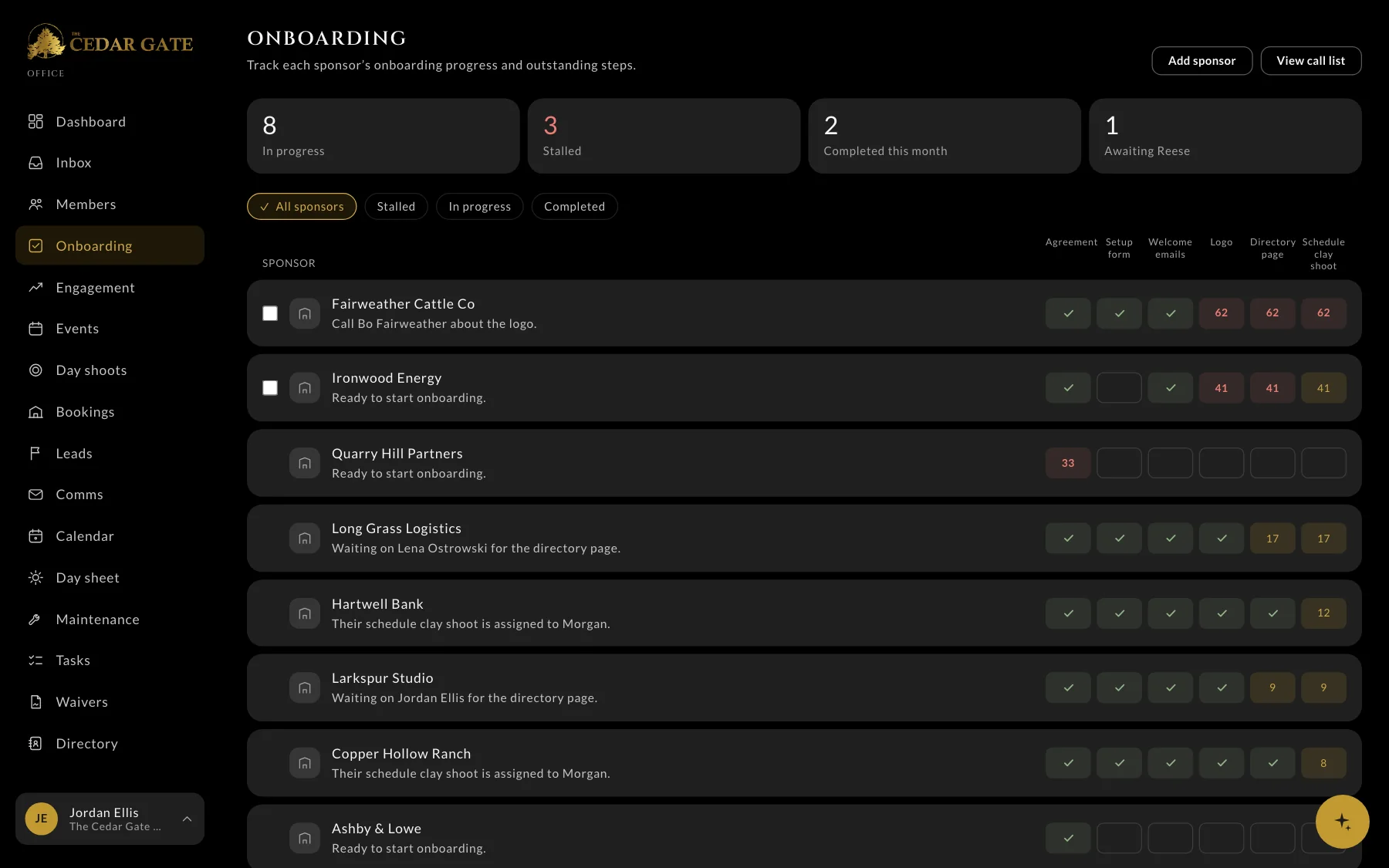
Onboarding. Every new member’s first steps on one board, so nobody falls through the cracks.
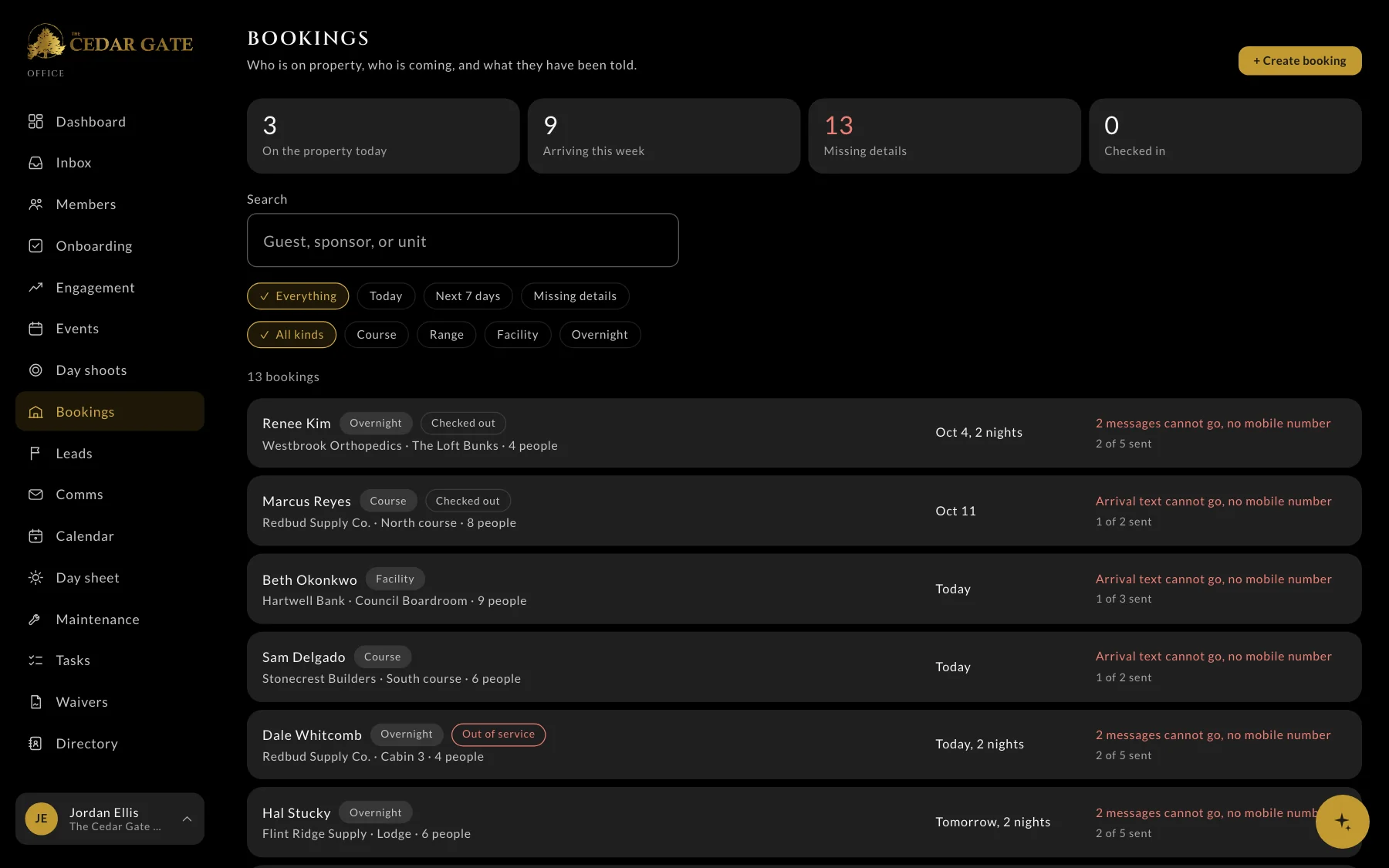
Bookings. Who’s on the property today, who’s arriving, and what they’ve been told.
In the room
The barn and the front desk
The same system runs the screens at the club. Scores reach the TV as squads enter them, the front desk iPad handles waivers, and the team checks people in at events.
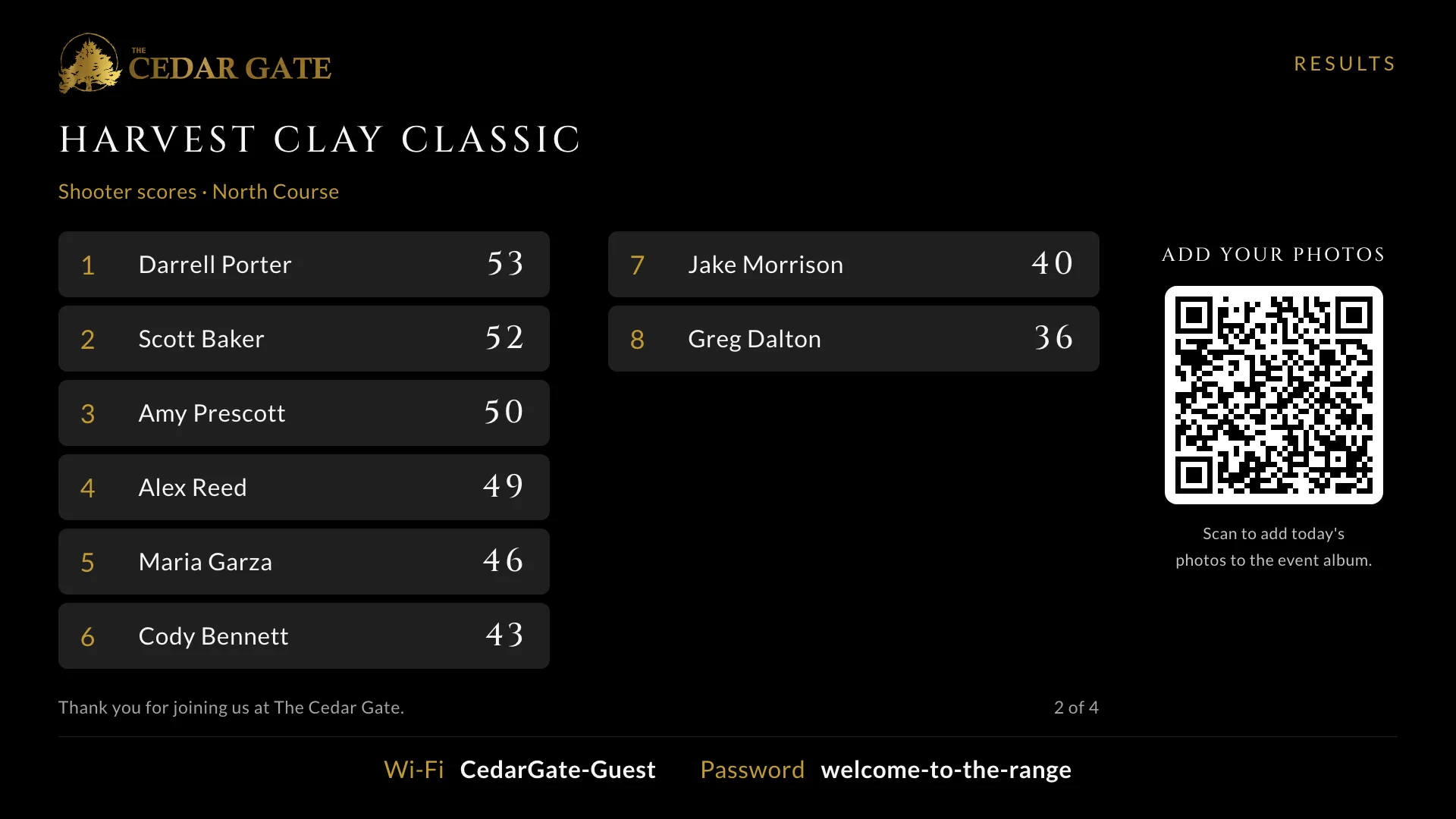
The barn TV. Team scores update as squads enter them. After the round it shows awards and results, with a code people scan to add their photos.
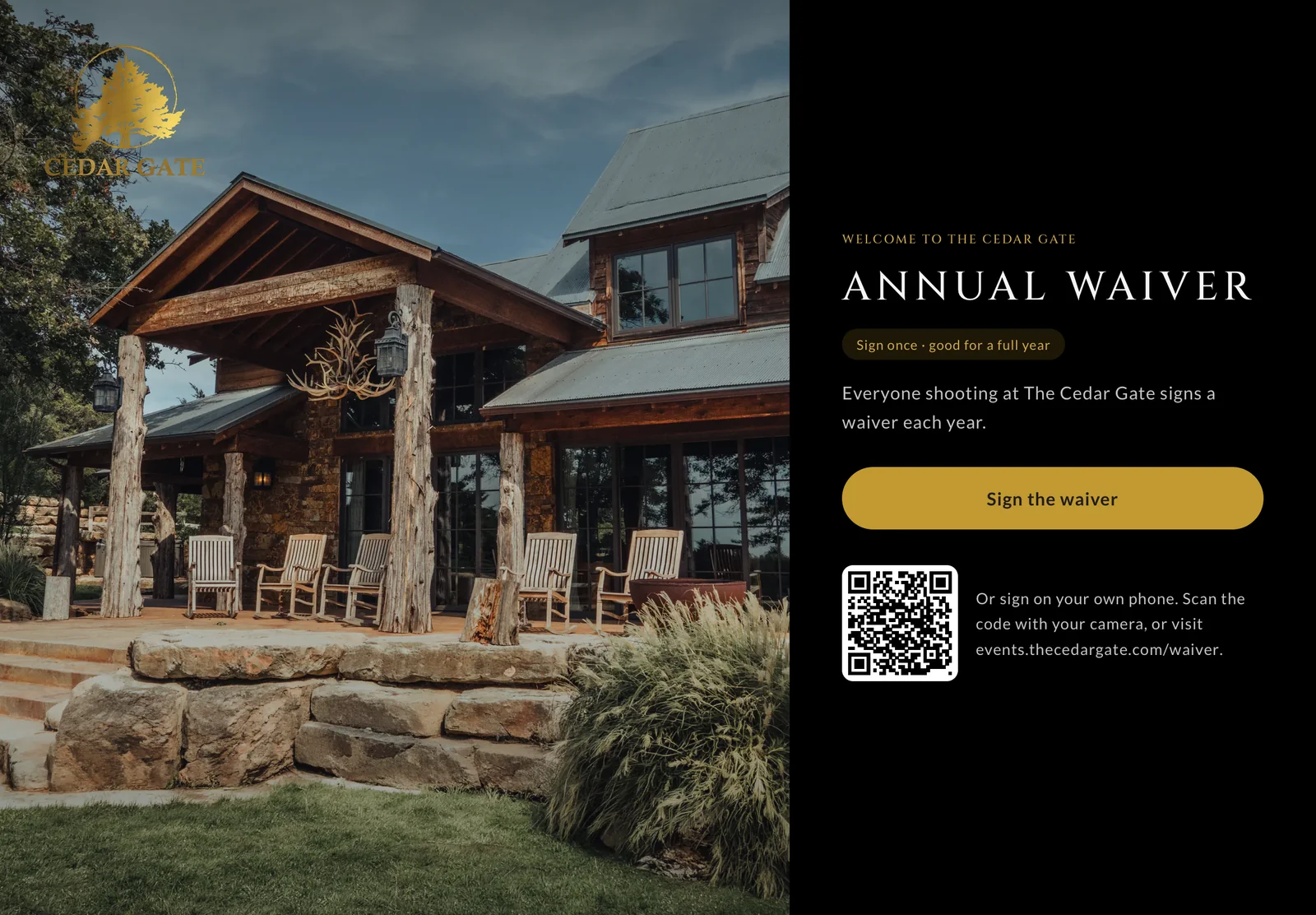
The front desk iPad. Anyone can sign the waiver at the front desk, and the screen clears itself for the next person.
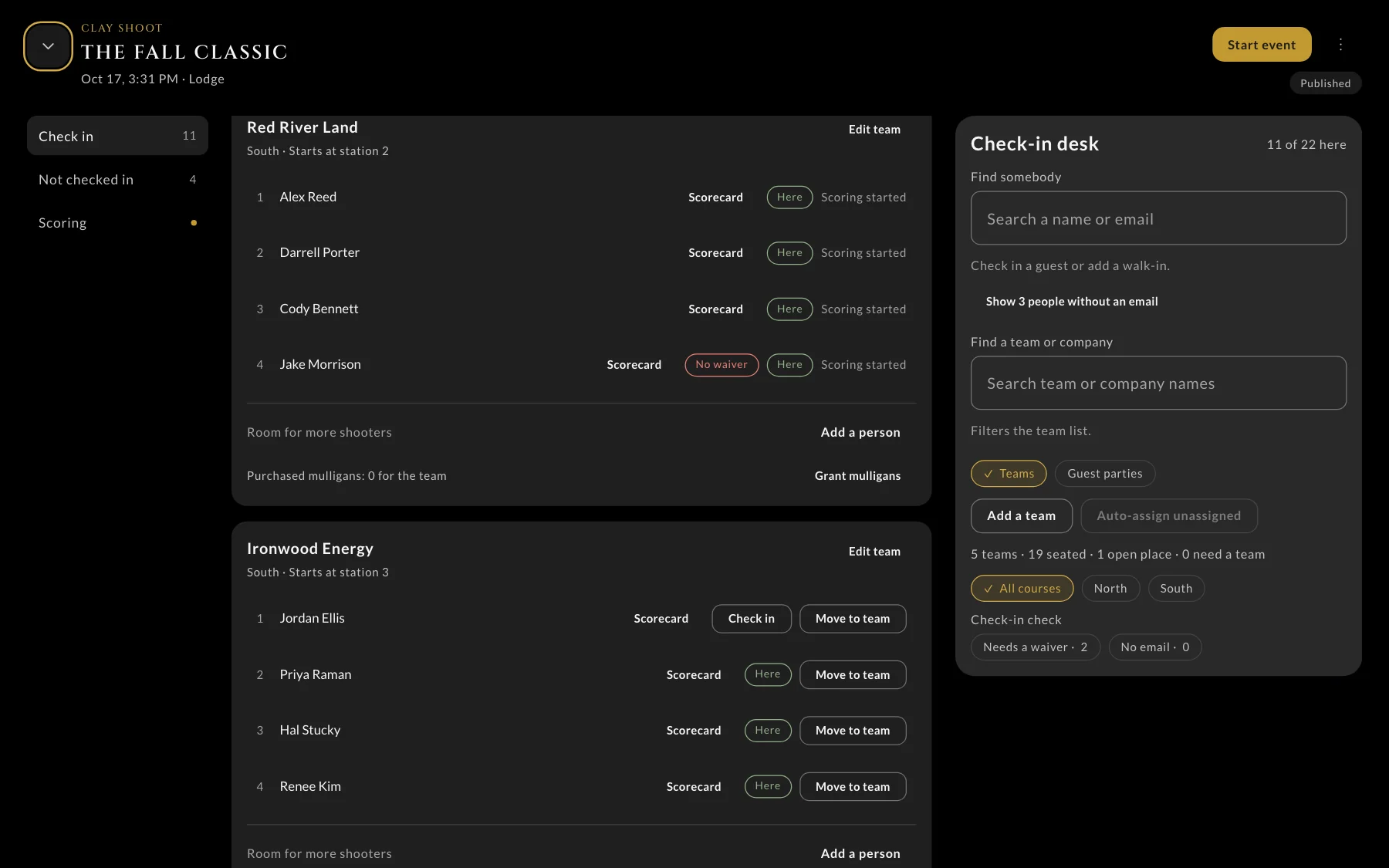
The check-in desk. Several staff check people in and build teams at once, and every screen keeps up within seconds.
Launch day, September 22
- 55people checked in
- 18teams on the course
- 13scorekeepers on phones
- 2,552birds scored in under two hours
How it came together
Summer
Interviews with the team and a plan for every screen
Then
A clickable prototype the team could try on their phones
August
The first version, scoped with the team in one session
September 22
Launched, in the App Store and on Google Play
Since
Regular updates, shaped by what members and staff ask for

We build our own products too
Storybase
Storybase is the platform we built so authors can publish their book, share it, see how readers engage, and invite readers to take the next step. Readers use it on the web, iPhone, and Android.
- In readers' hands
- At authors' desks
In readers' hands
The reader app
Readers read or listen, ask the book a question in text or by voice, and take the next step the author offers.
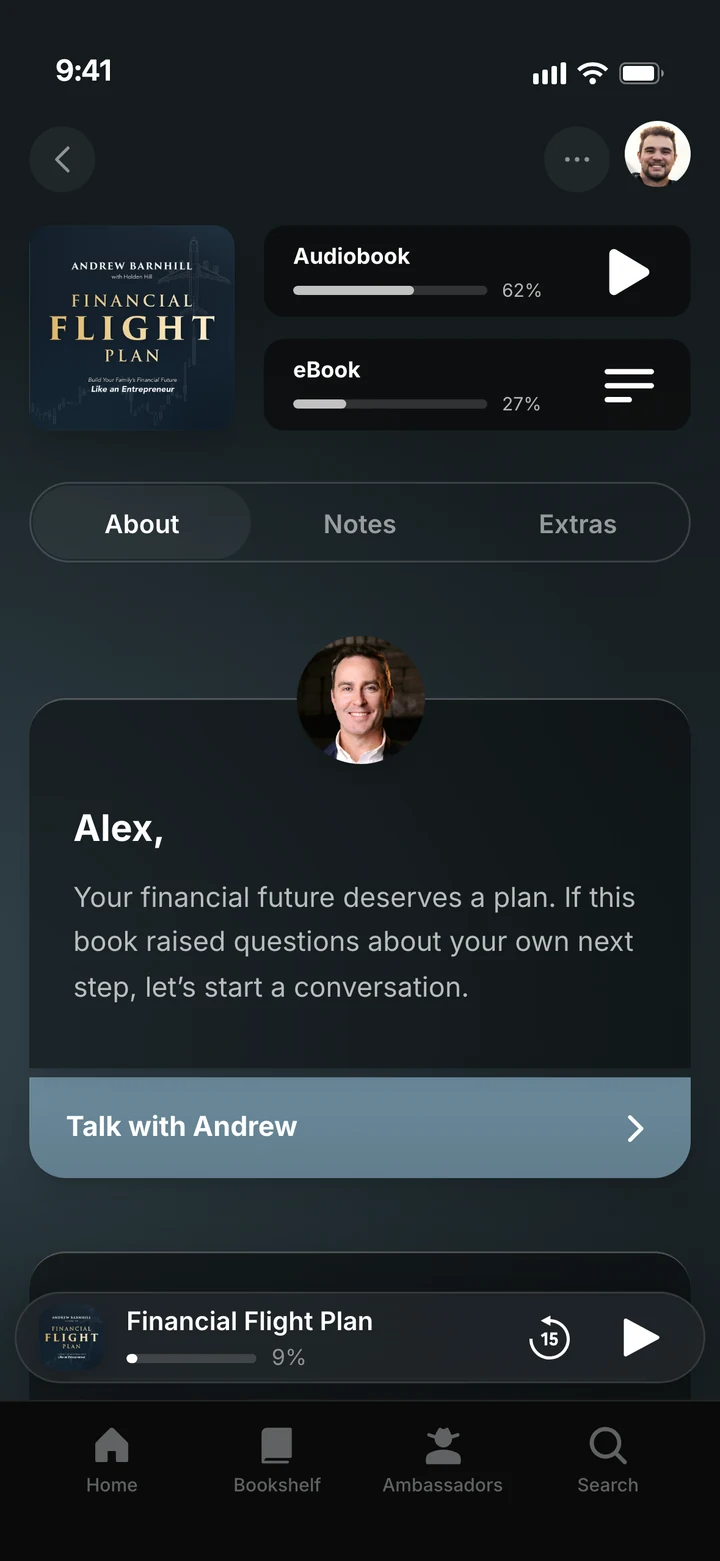
A book's page: the audiobook, the ebook, and a note from the author.
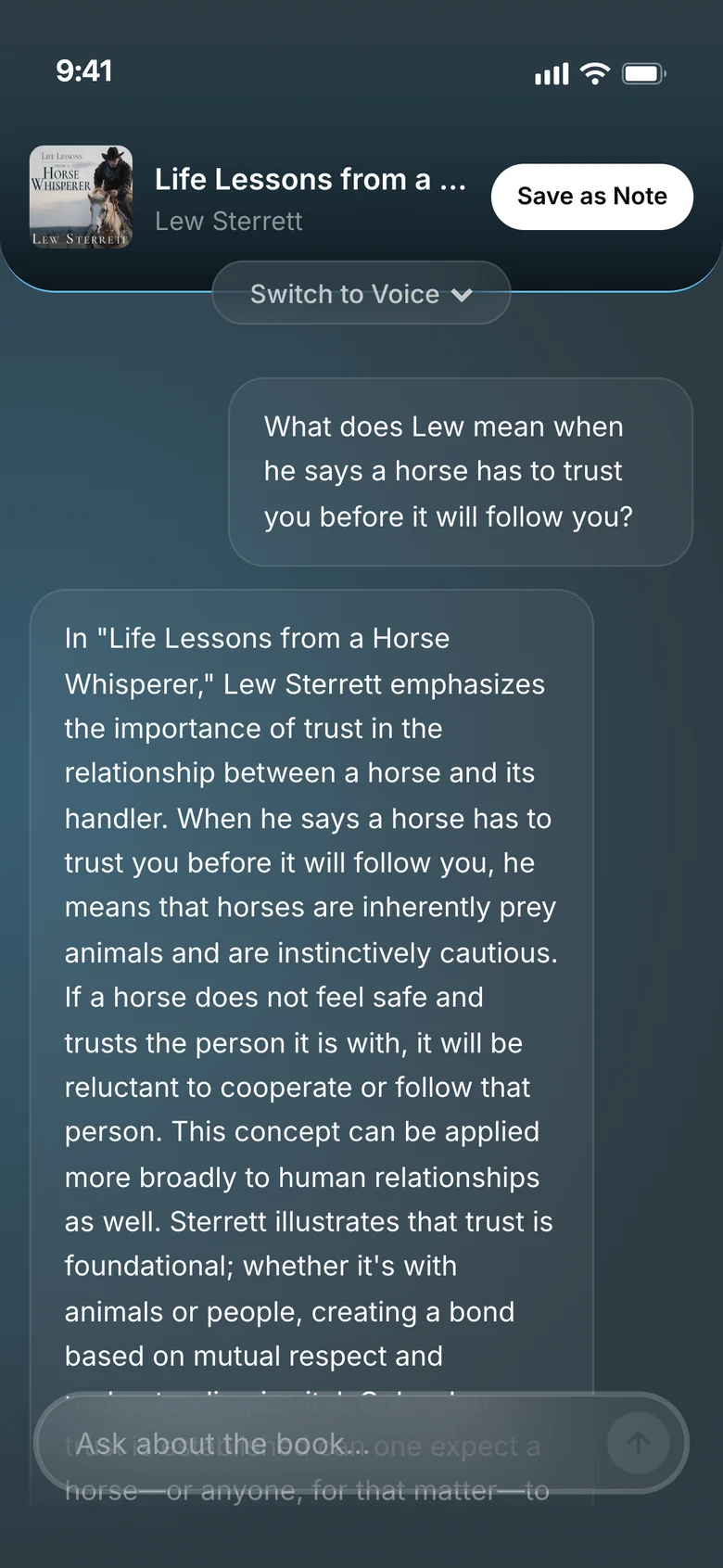
Ask the book: answers drawn from the book itself.
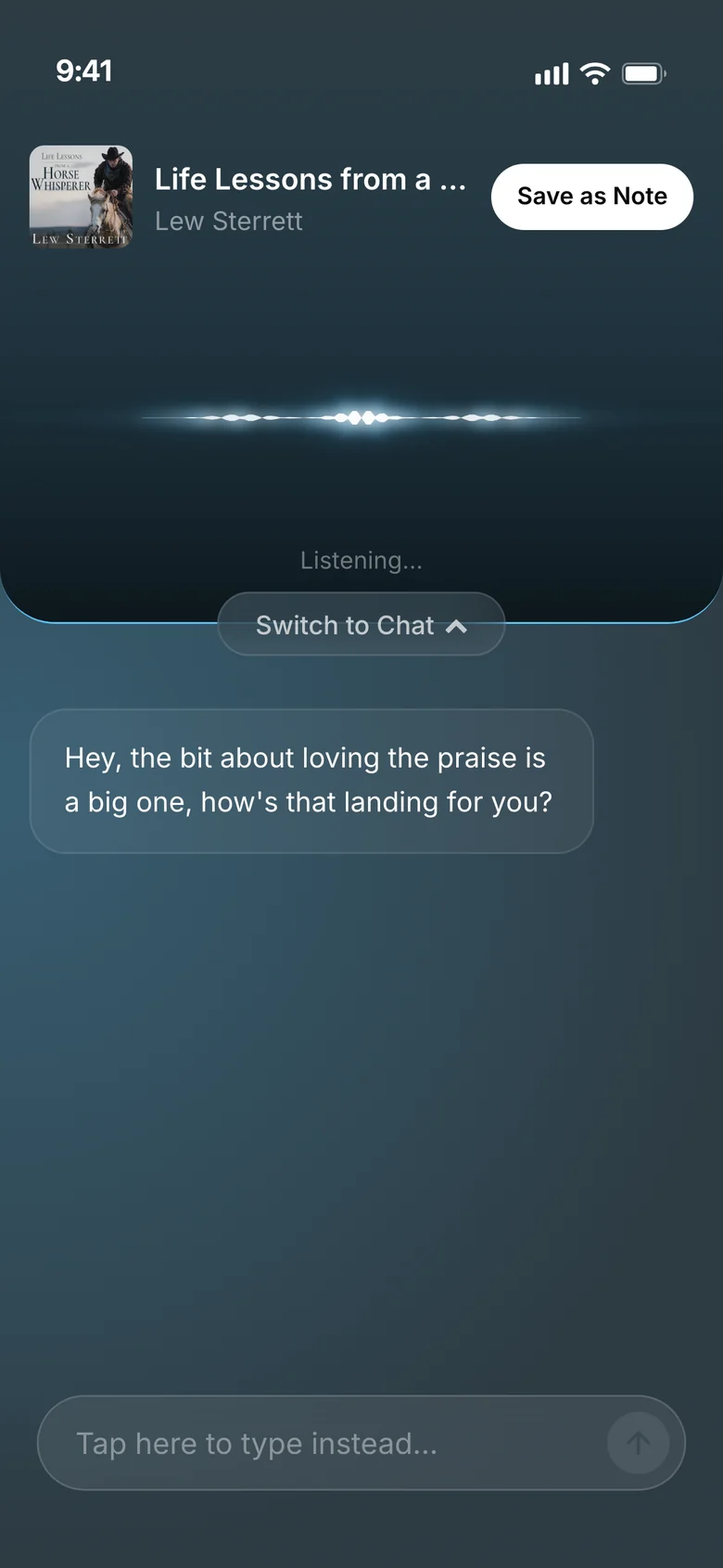
Or ask out loud, and hear the answer.
At authors' desks
The author dashboard
Authors see who's reading, publish every format, design their cover, and set up what happens after someone reads.
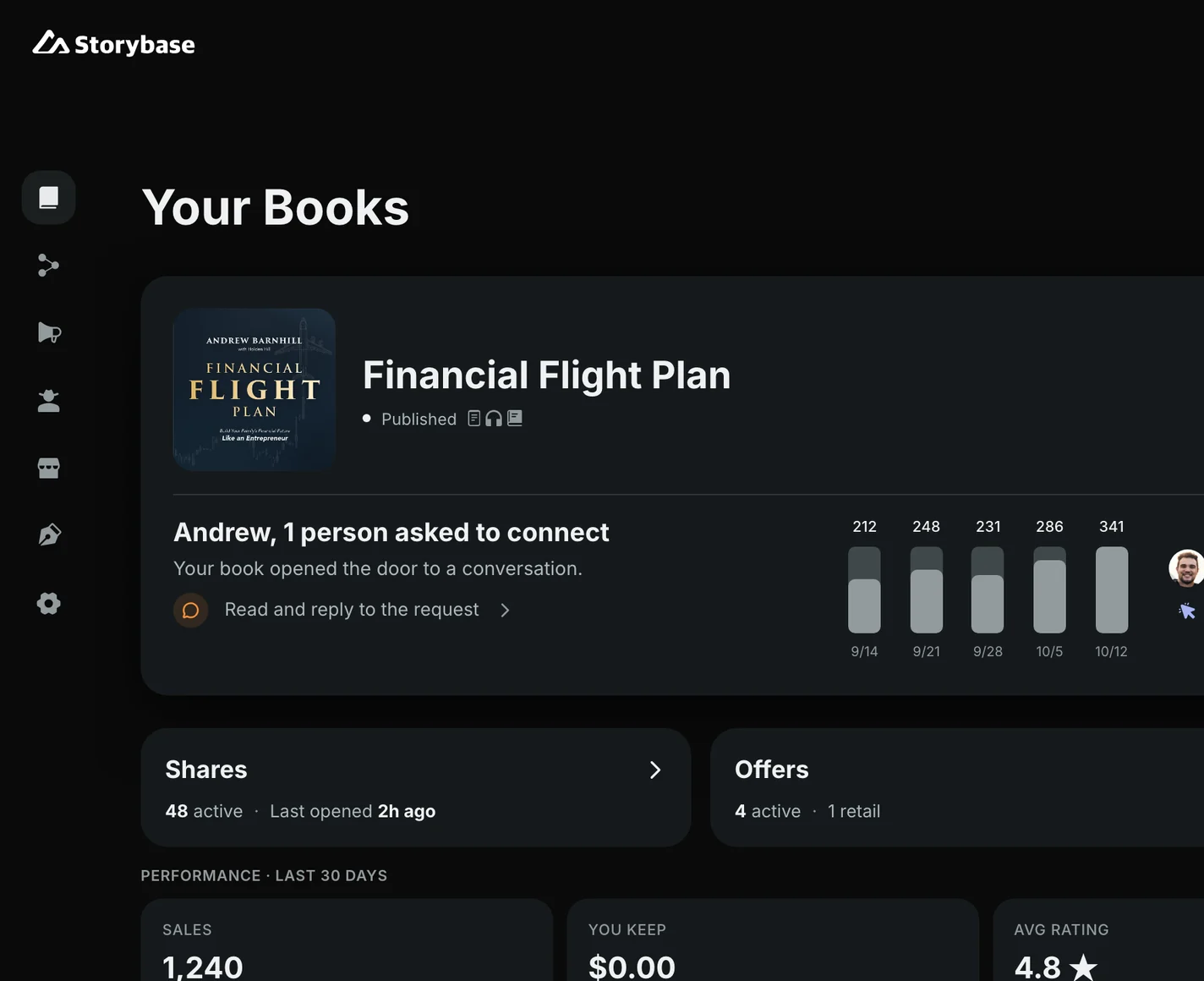
The dashboard. Readers, shares, and the people asking to connect.
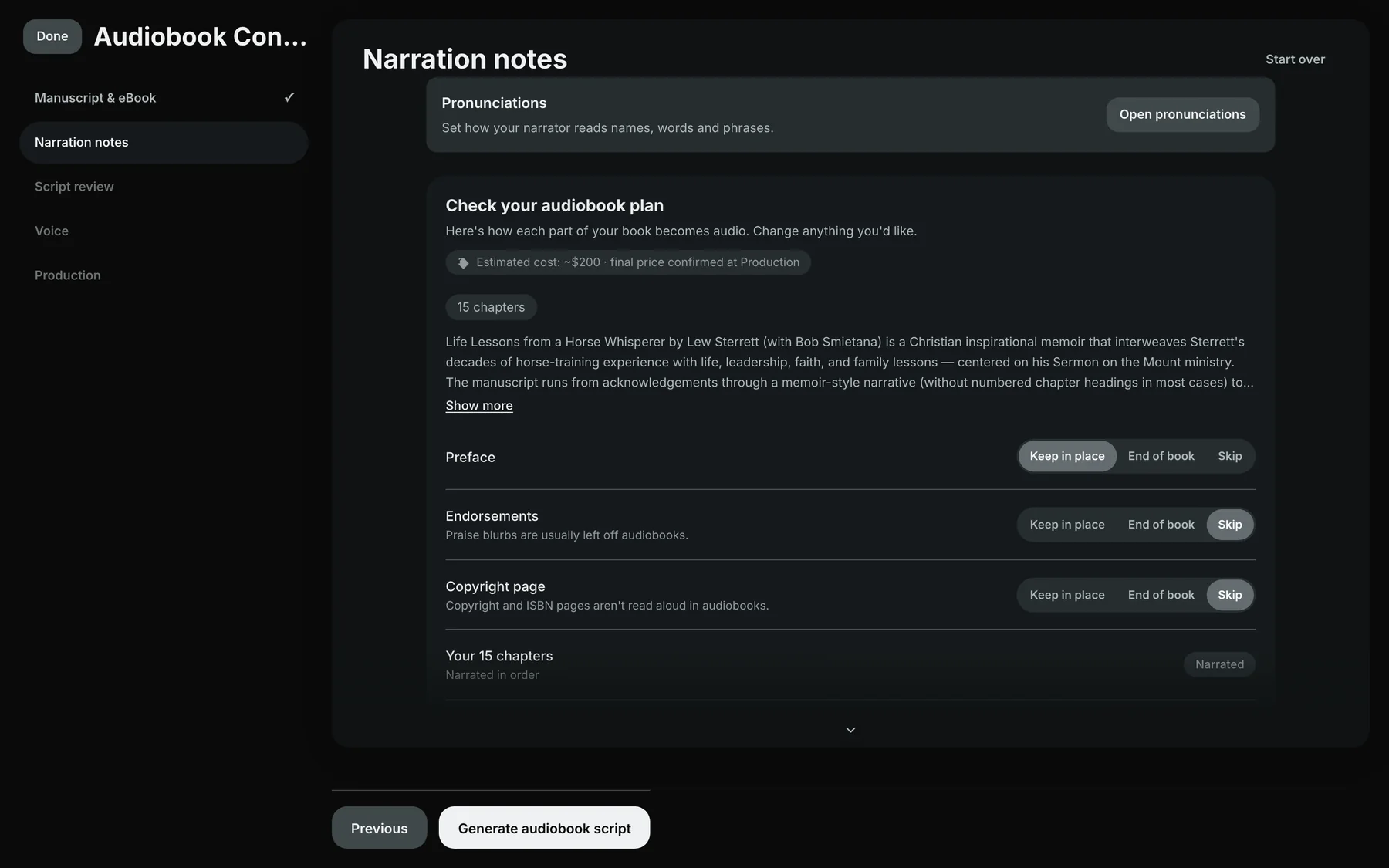
Audiobooks. Turn the manuscript into an audiobook, chapter by chapter.
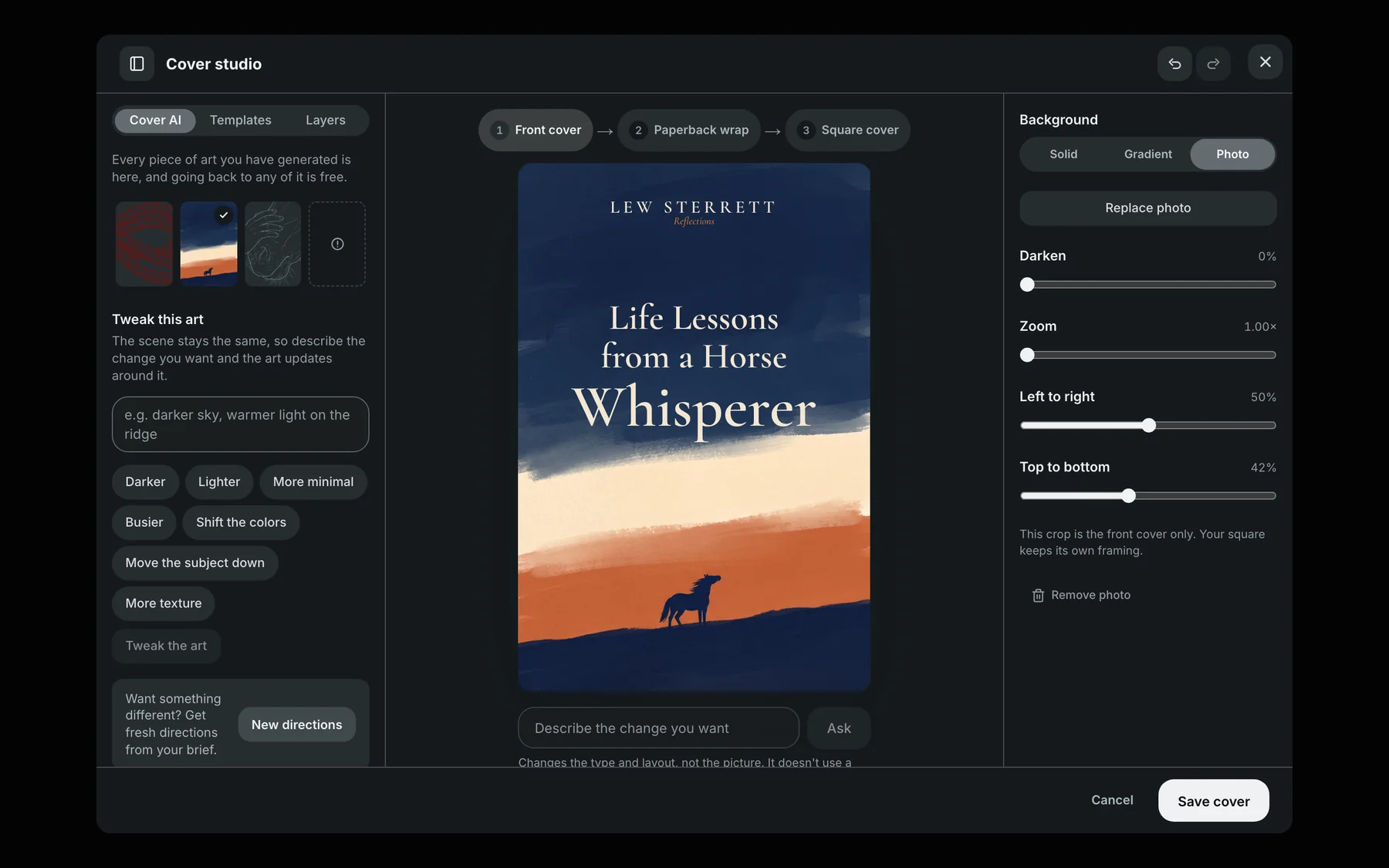
Cover Studio. Design the cover with AI art and real type.
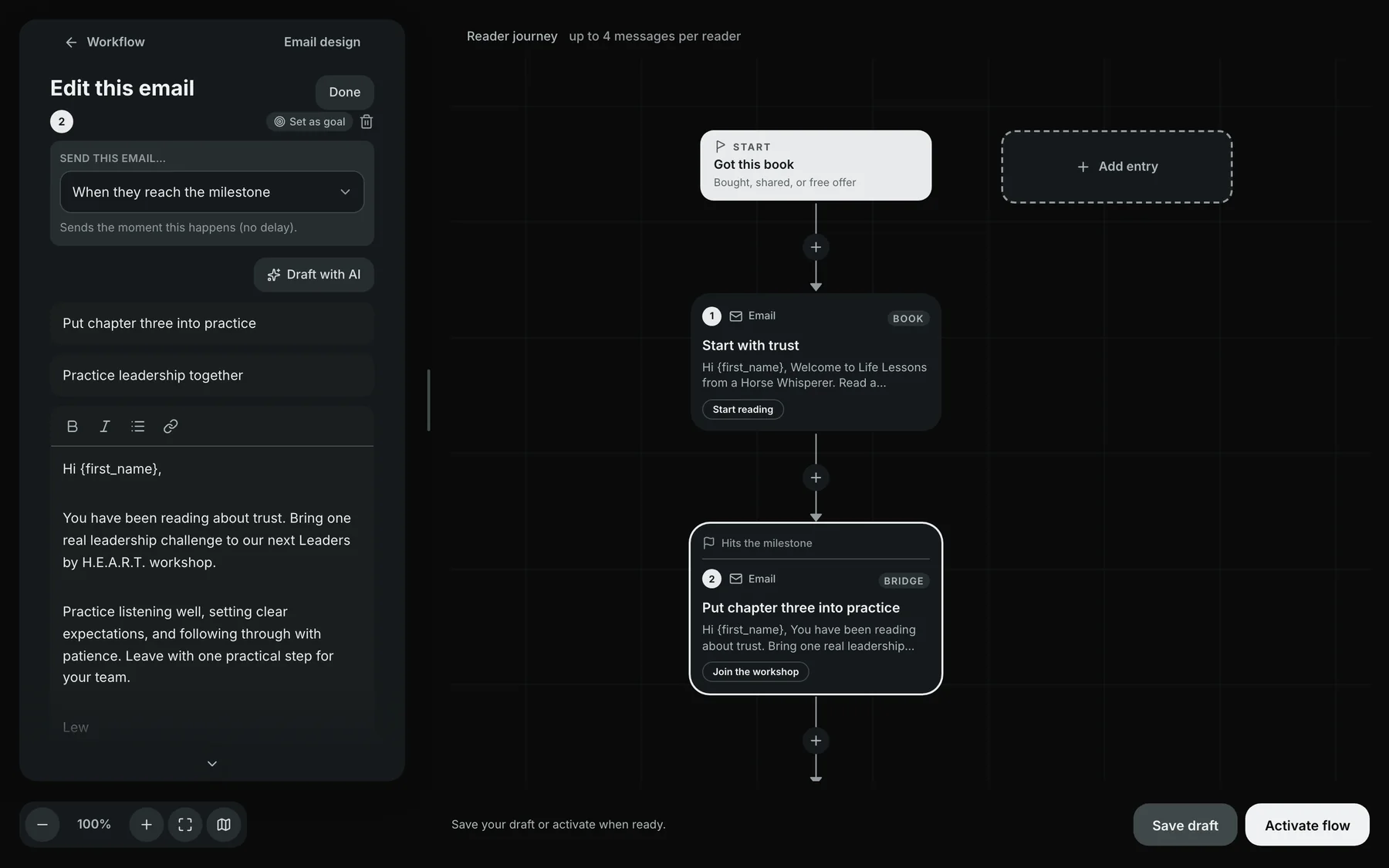
Flows. What each reader gets next, set up once and running on its own.
Illustrative: the dashboard shows Andrew Barnhill’s Financial Flight Plan. Figures shown are examples.
More we've built
Smaller tools that do one job well
Not everything needs to be a platform. We built these two for ourselves.
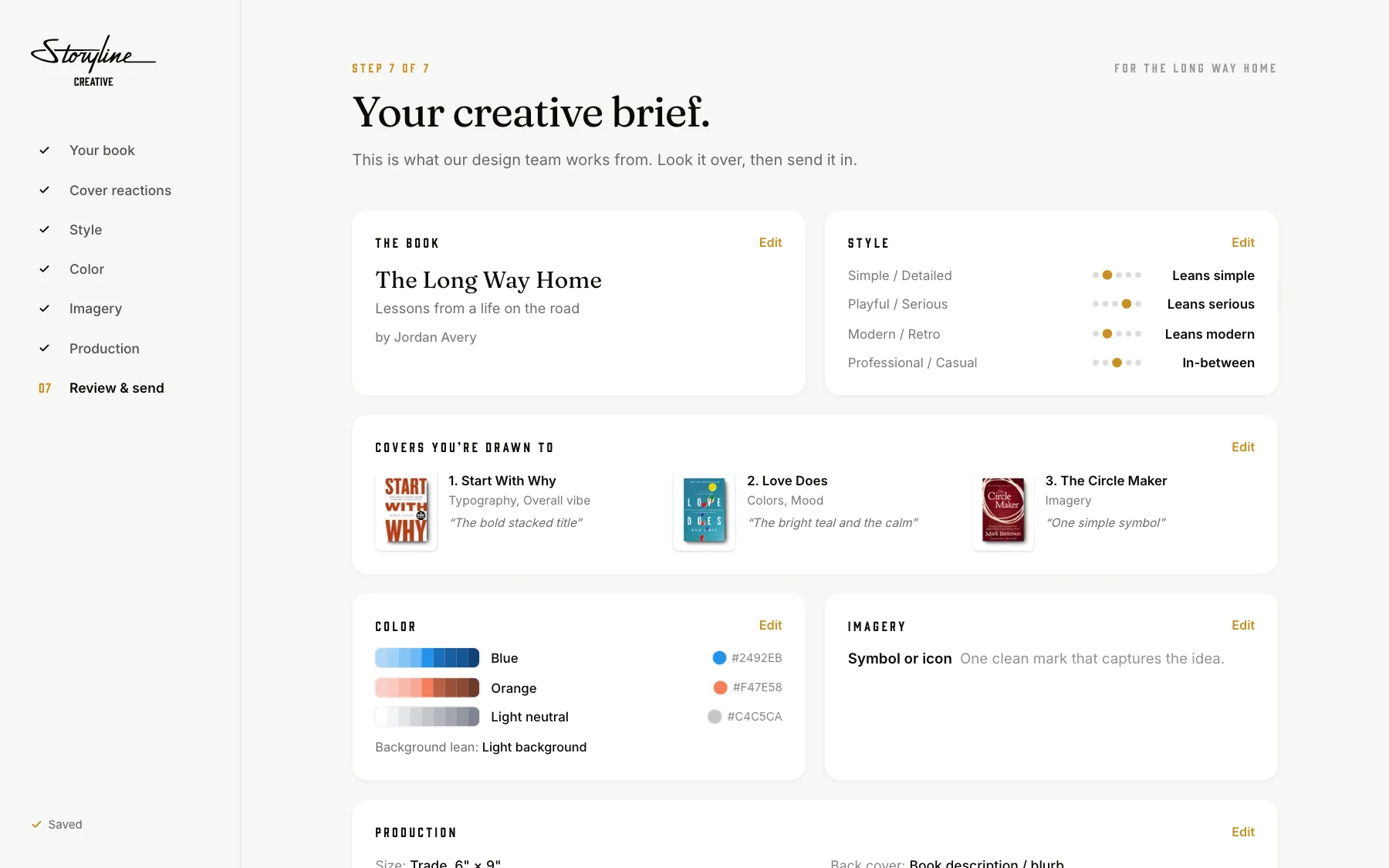
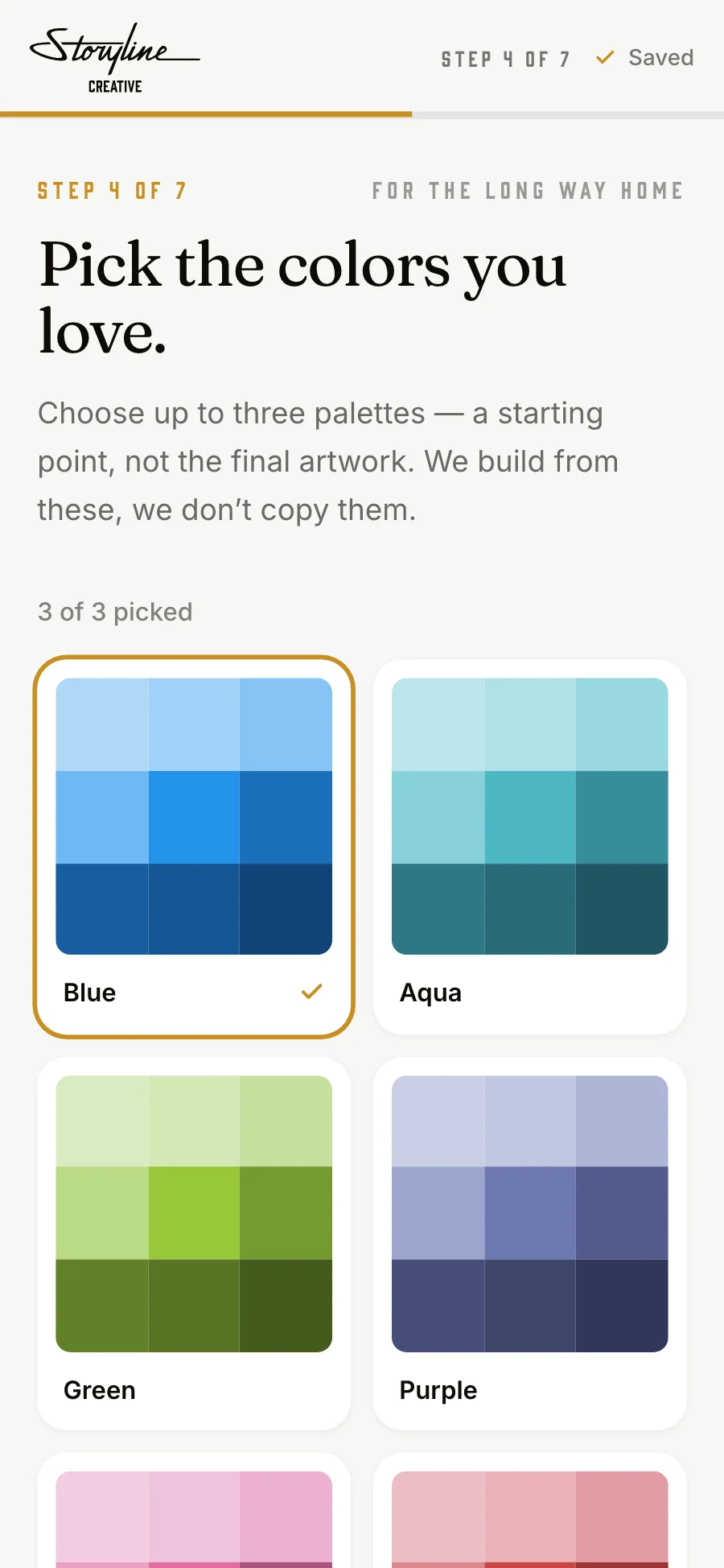
The Cover Design Brief
A guided session that shows us the cover an author is picturing. They react to real covers, pick colors, and choose simple or detailed. We get a design brief in their own words.
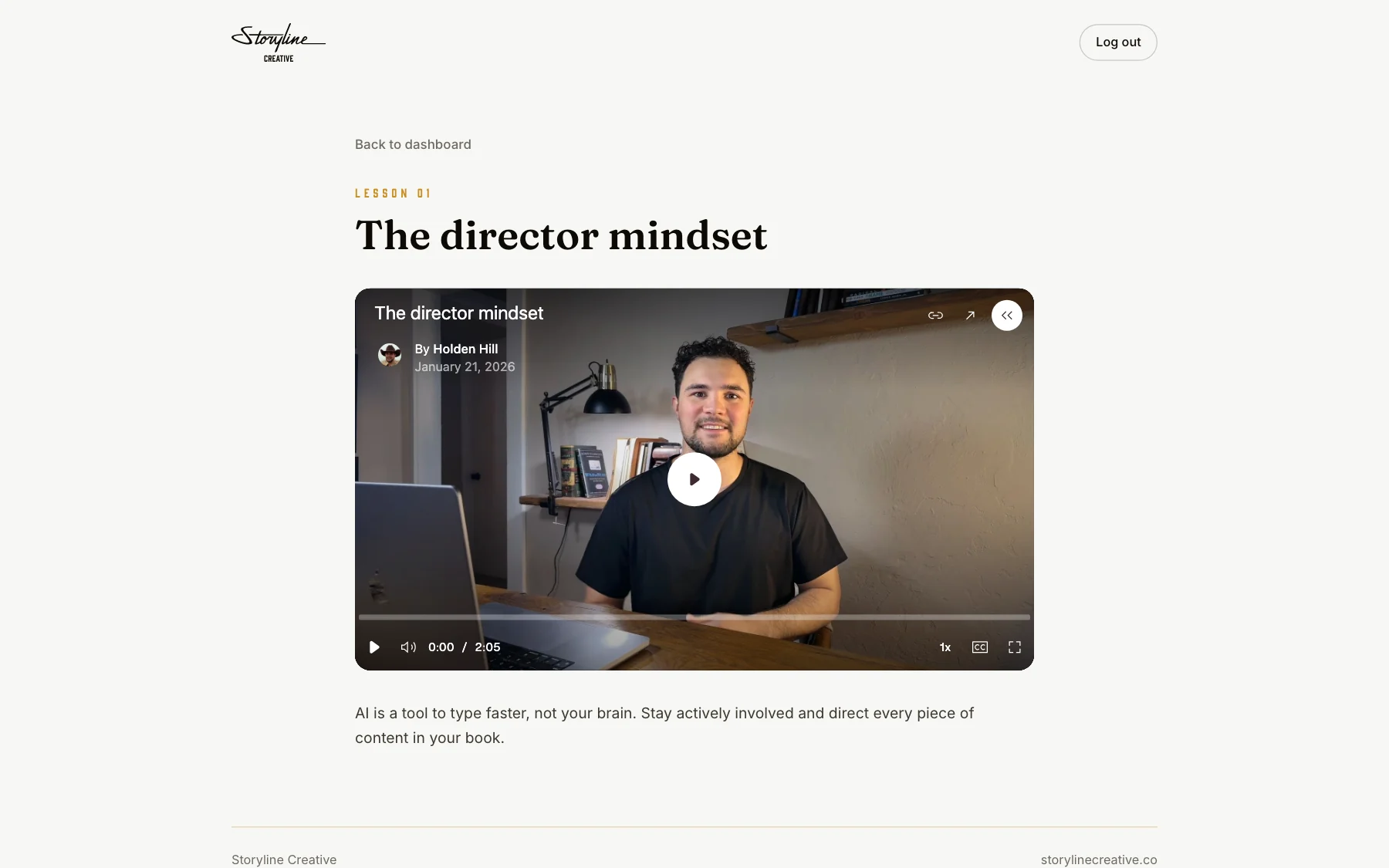
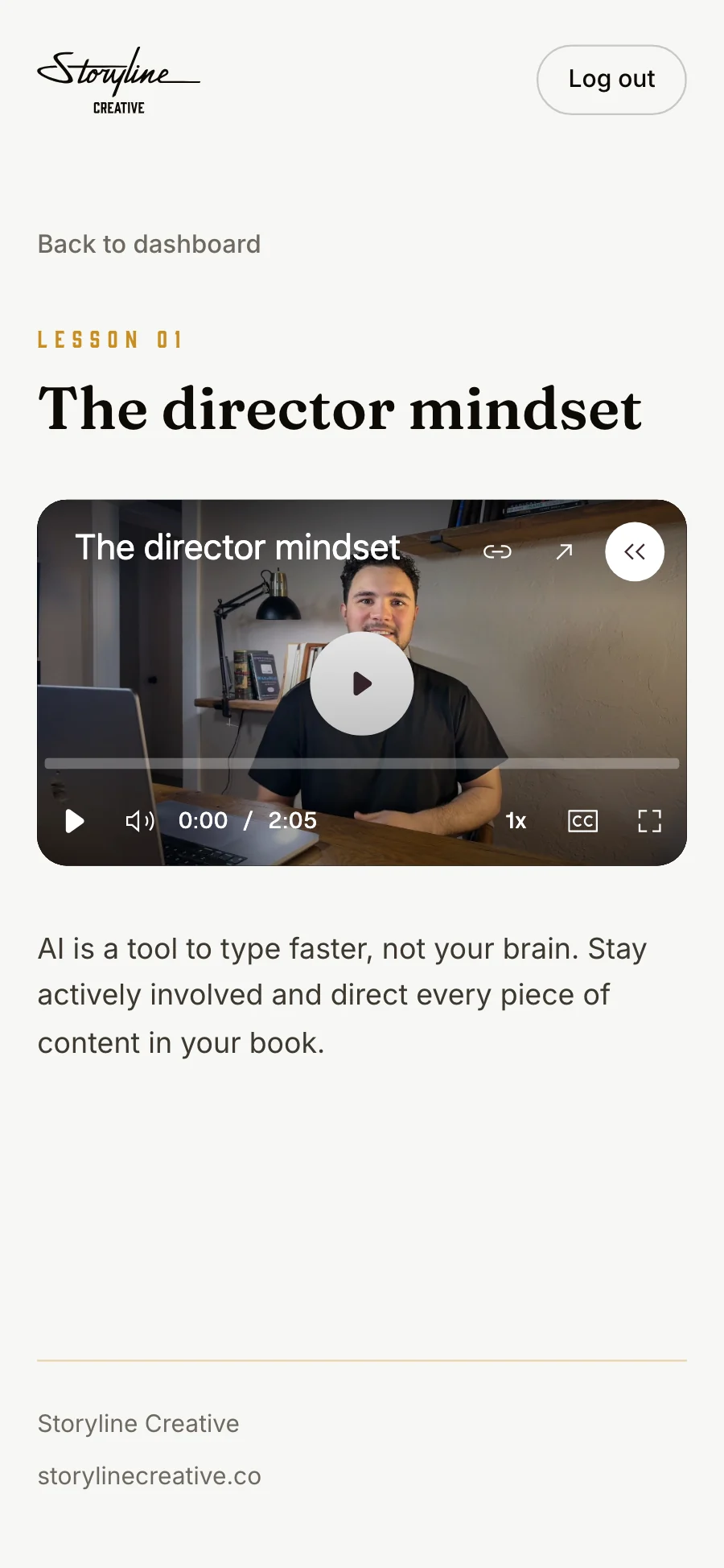
The Author Program portal
Where Author Program members sign in with an emailed link, watch the lessons, and work through the course.
What we build
What we build, and where you just saw it
In their hands
Member and customer apps
Your own app for members or customers, on iPhone, Android, and the web.
Portals
One place for clients, members, or students to sign in and find what they need.
Seen inThe Author Program portalInteractive experiences
Guided, hands-on experiences that let people take part instead of filling out a form.
Seen inThe Cover Design BriefDigital communities
Directories, photo albums, and profiles that keep your people connected.
Seen inThe Cedar GateDigital products
Courses, resources, and platforms you can offer your audience.
At your team's desks
Internal tools
Systems that give your team back the hours lost to spreadsheets and manual work.
Seen inThe Cedar Gate's officeAutomation
The follow-ups, reminders, and handoffs that run on their own.
AI
Assistants that help people find answers and get things done.
In the room
Screens and displays
Live scores, results, and what's happening now, up on the wall.
Seen inThe Cedar GateKiosks and check-in
Sign-in, waivers, and check-in for the places you gather.
Seen inThe Cedar Gate
How we build
Small enough to ship, built to grow
A lot of technology never launches because the scope keeps growing. We agree on a first version people can use, then keep improving it. Here's how that went for The Cedar Gate.
- Who walks in the door?
- What do they need right then?
- What does the team do by hand today?
01
Start with the people and the moment
Who uses it, where they are, and what they need to do next. We start by talking with your team.
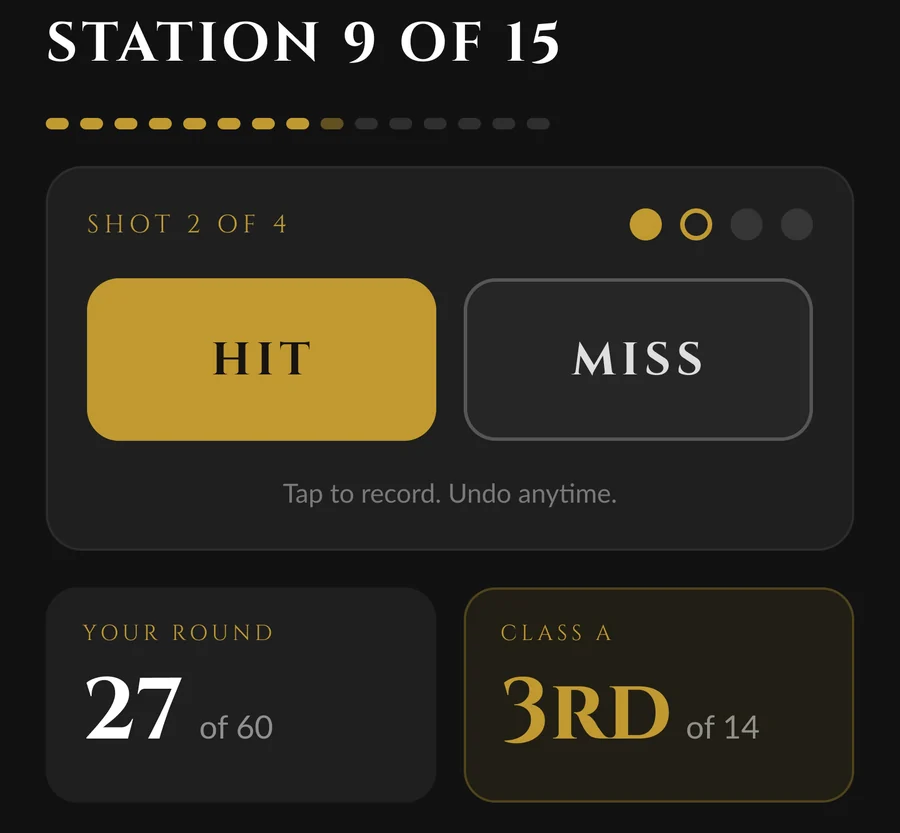
Prototype 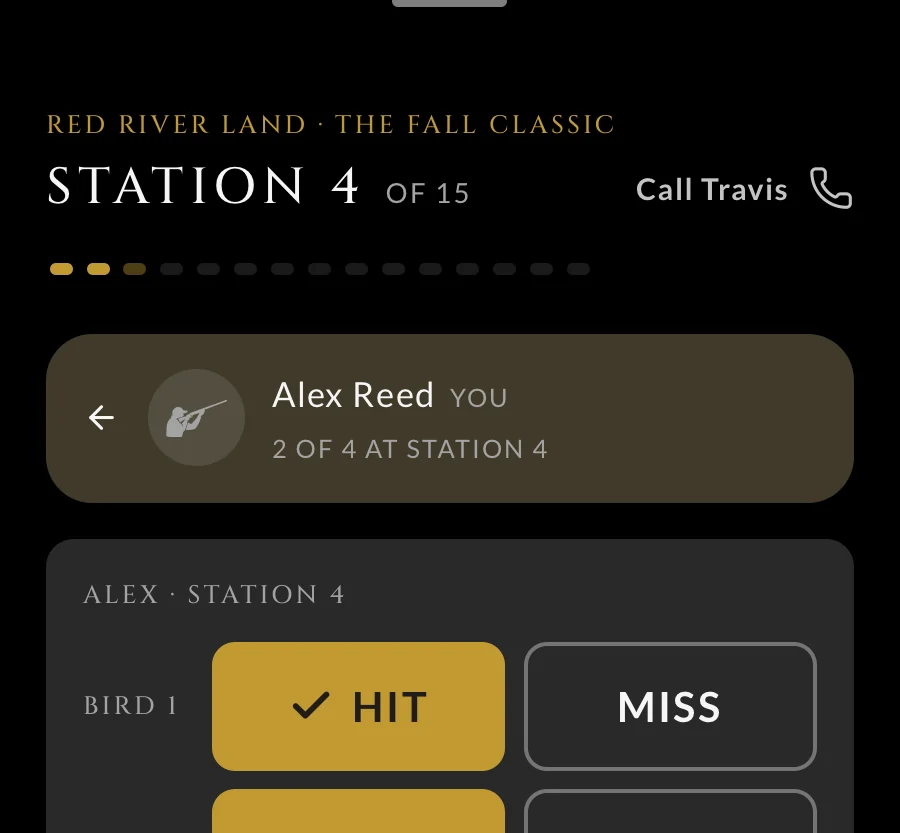
Shipped 02
Design it before we build it
A plan for every screen and a clickable prototype you can try on your own phone.
First version
Member app with scoring
Events and sign-up
Scores on the barn TV
The office for members
Next
Automations, the front desk iPad, waivers in the app
03
Agree on the first version
Decide together what ships first, and put everything else on the list for updates.
Recent updates
Oct 6Staff build their own automations
Oct 5The front desk iPad
Oct 3Waivers signed in the app
Sep 22Launched
04
Build, launch, and improve
Ship the first version, see how people use it, and keep making it better.
Work
See it at work
The Cedar Gate
Reimagining the member experience through technology
A member app, the screens in the barn, and an office system for the team, built as one experience so every member and guest feels known.
Read the storyStorybase
Building the infrastructure that lets a book keep working
We kept asking what happens after someone reads the book. Storybase is our answer: a platform where authors publish, share, and turn readers into relationships.
Read the story
Where are you trying to take people?
Stop spinning your wheels. Let's create a plan that actually takes them there.
Start a Conversation