

AI & Automation
Take the busywork off your team
We build automations, workflows, and assistants that sort and prioritize what comes in, follow up on leads and sales, and keep tasks from slipping. We built them into The Cedar Gate's office system.
How it fits together
One system, every door
At The Cedar Gate, everything that comes in lands in one office: website inquiries, texts to the club, and RSVPs and scores from the member app. From there it becomes the team's tasks, messages to members, and results on the screens in the barn.
Automation
The system drafts, you decide
Every automation has a dial: send automatically, require approval, or off. Messages that need approval wait in one queue, written out for each person, and nothing in it sends until someone approves it.
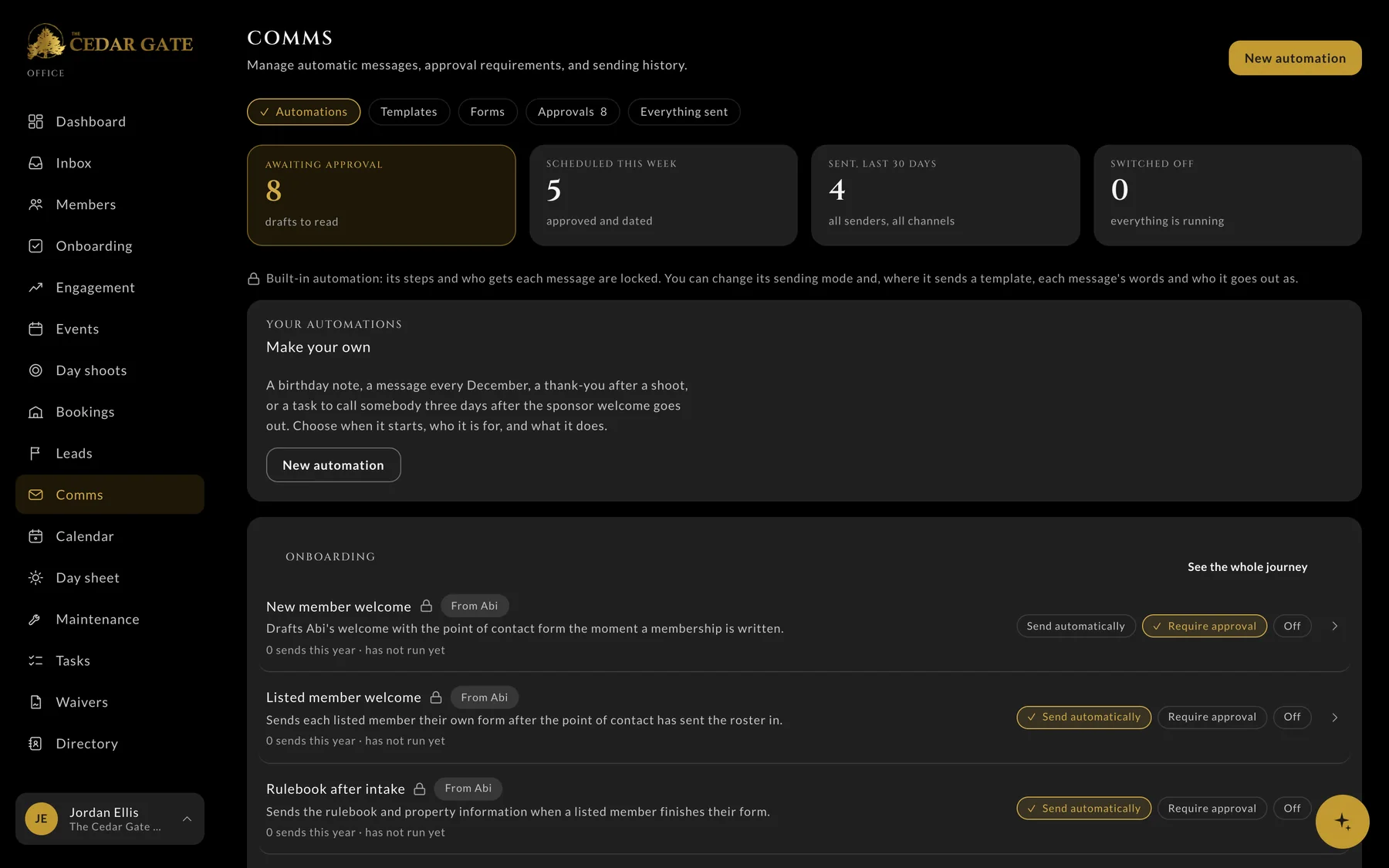
- 1Drafts waiting for a person
- 2Build your own, like a thank-you after a shoot
- 3A dial on every automation
Lead follow-up
A new lead, start to finish
When someone asks about joining, the office takes it from there, and a person stays in the loop at every step.
- 01The inquiry comes in
Someone asks about joining on the club's website.
- 02A card on the board
It lands on the Leads board, and the team gets an alert.
- 03A reply right away
An automatic reply goes out from the club's email.
- 04A call within the hour
A task to call them back lands on the team's list.
- 05A follow-up plan
The plan drafts the next emails and texts for approval, and stops when they reply.
- 01The inquiry comes in
Someone asks about joining on the club's website.
- 02A card on the board
It lands on the Leads board, and the team gets an alert.
- 03A reply right away
An automatic reply goes out from the club's email.
- 04A call within the hour
A task to call them back lands on the team's list.
- 05A follow-up plan
The plan drafts the next emails and texts for approval, and stops when they reply.
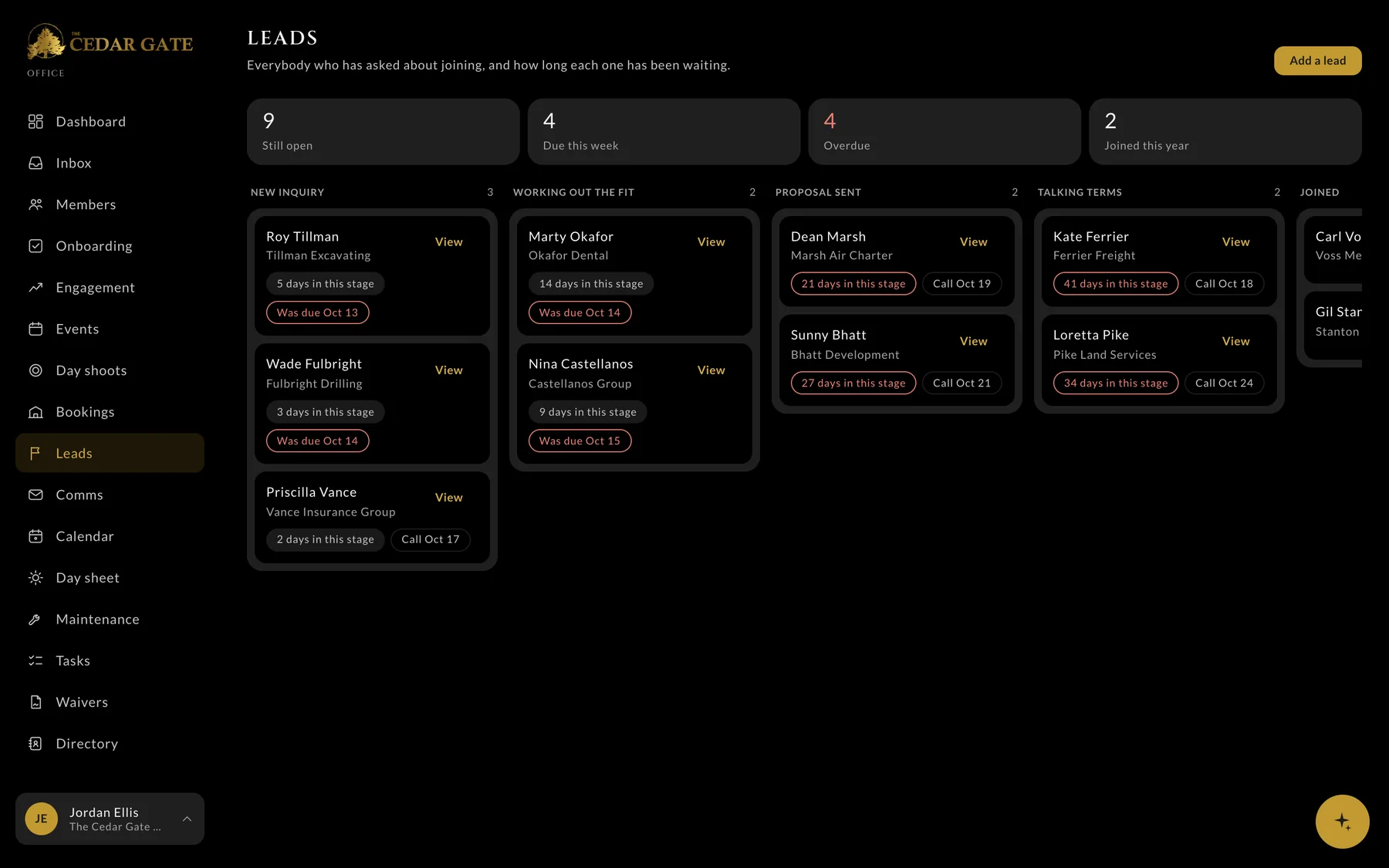
- 1Who's overdue
- 2How long each one has waited
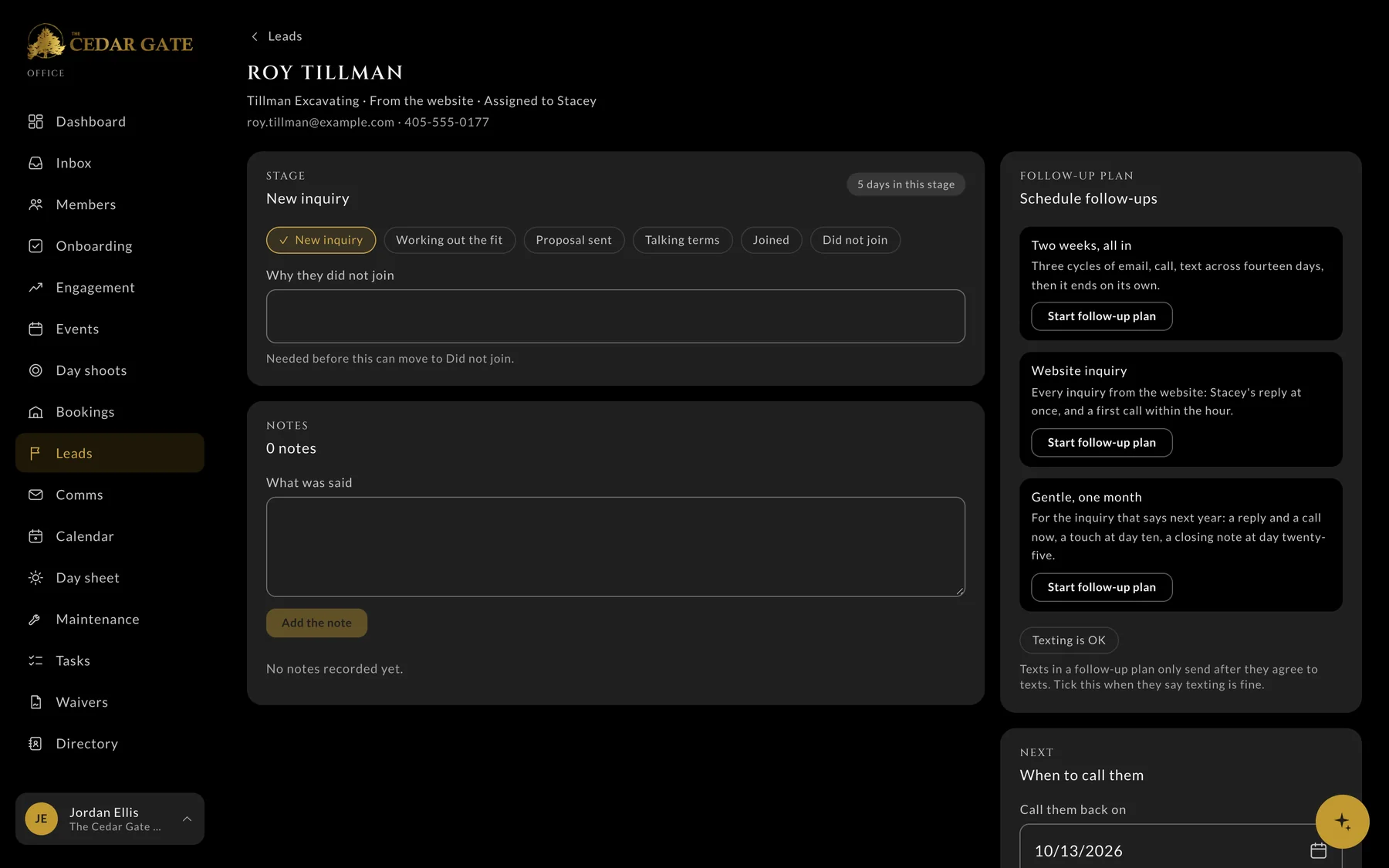
- 1Pick a follow-up plan
The Cedar Gate's office, shown with demo data. The companies and people are invented.
Running every day
The busywork that runs itself
These start on their own at The Cedar Gate, so nobody has to remember them.
- Event reminders two weeks, one week, and one day out
- A waiver reminder the morning before a shoot
- A welcome and the rulebook when a member joins
- A nudge when a new member's setup stalls
- Renewal tasks 60 and 30 days before a membership ends
- A photo album that opens when an event starts
- Texts to the club's number, turned into tasks
- The attendee list, sent to an event's host
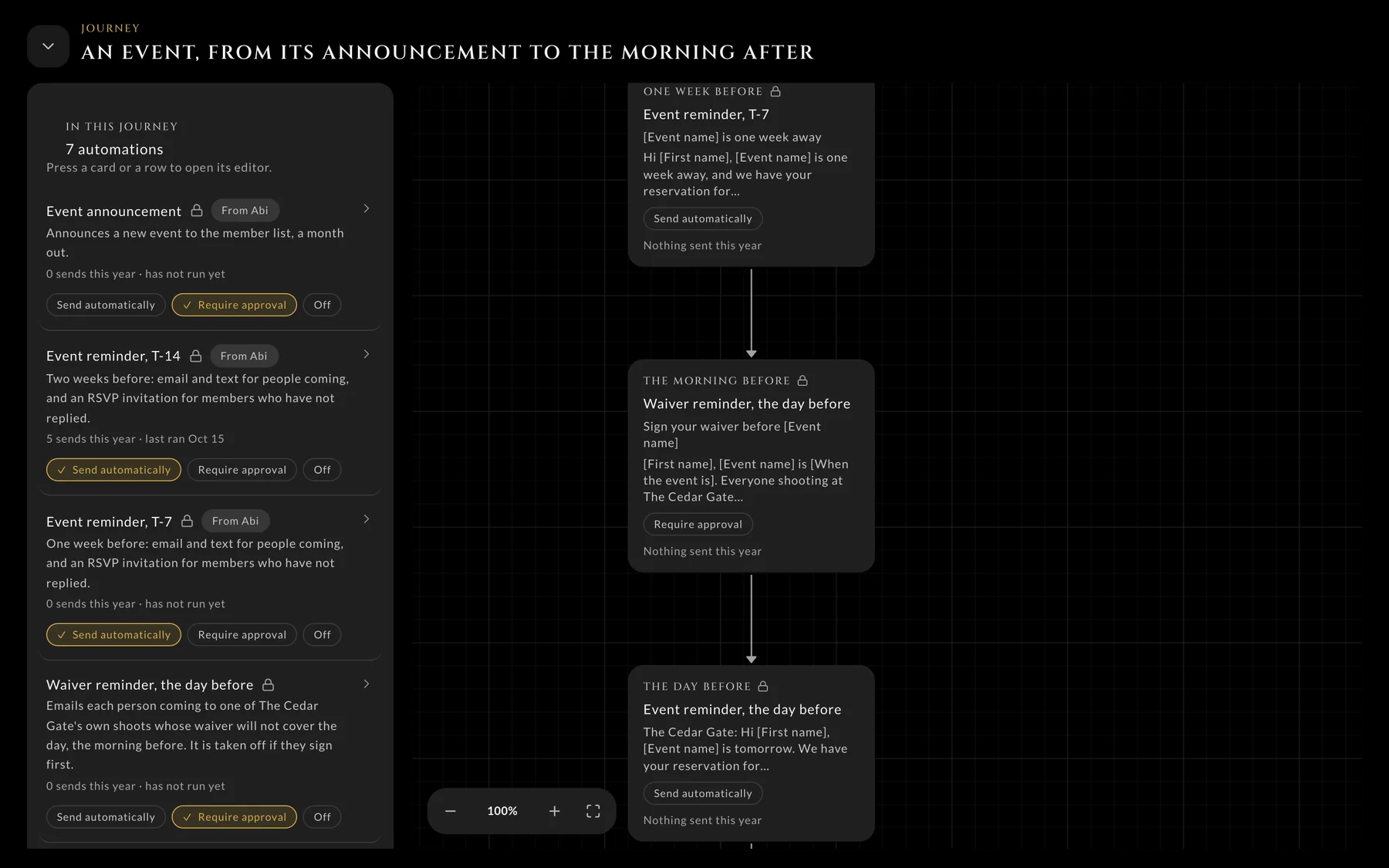
- 1Each step has its own dial
- 2The whole journey as a map
AI in the office
An assistant that knows the club
Staff ask it questions in plain words, and it answers from the club's own records: who hasn't booked, what's slipping, who's coming. It drafts emails, raises tasks, and moves leads, and every change can be undone. Anything it writes to a member waits for approval. Staff can type to it, talk to it, or connect their own ChatGPT or Claude.
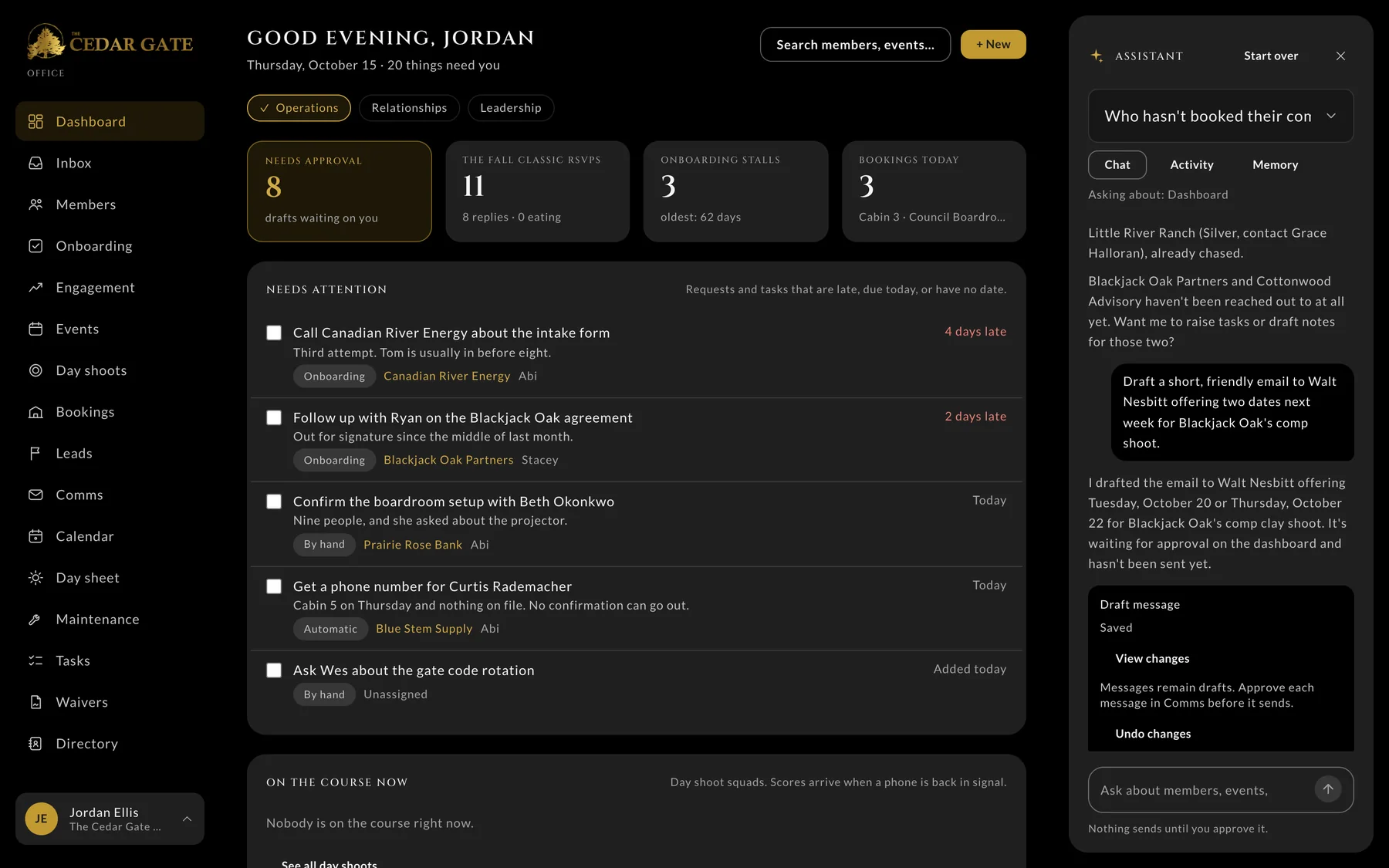
- 1Answered from the club's records
- 2Asked in plain words
- 3Drafted, waiting for approval, with Undo
AI in Storybase
AI for readers and authors
Storybase, the platform we built for authors, uses AI to turn one manuscript into an audiobook, a cover, and email flows, and to help readers get more from every book.
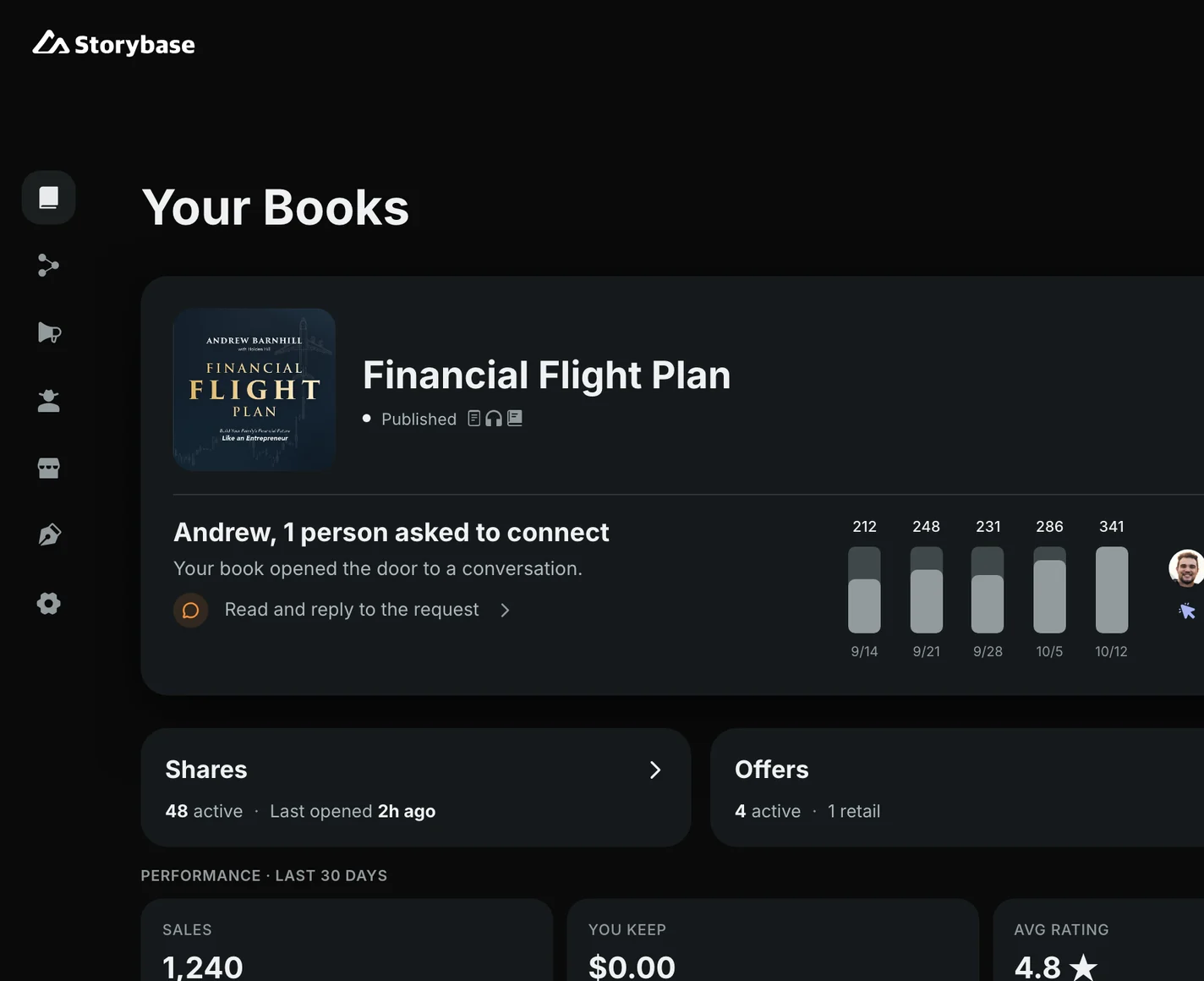
Storybase’s dashboard, shown with illustrative figures.
Reader assistant
Ask the book, typed or out loud
Every book on Storybase comes with an assistant that knows it. Readers type a question or ask it out loud, and the answers come from the book itself.
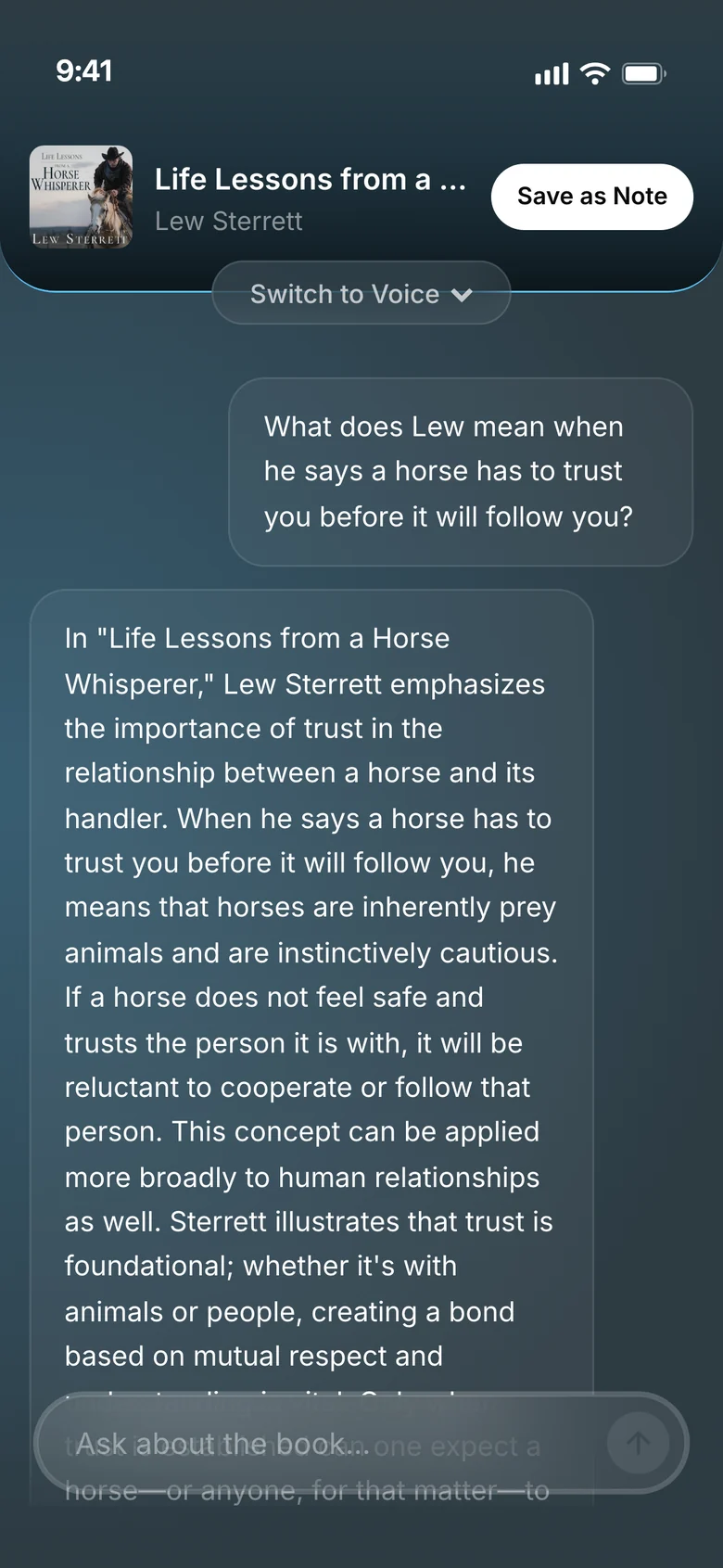
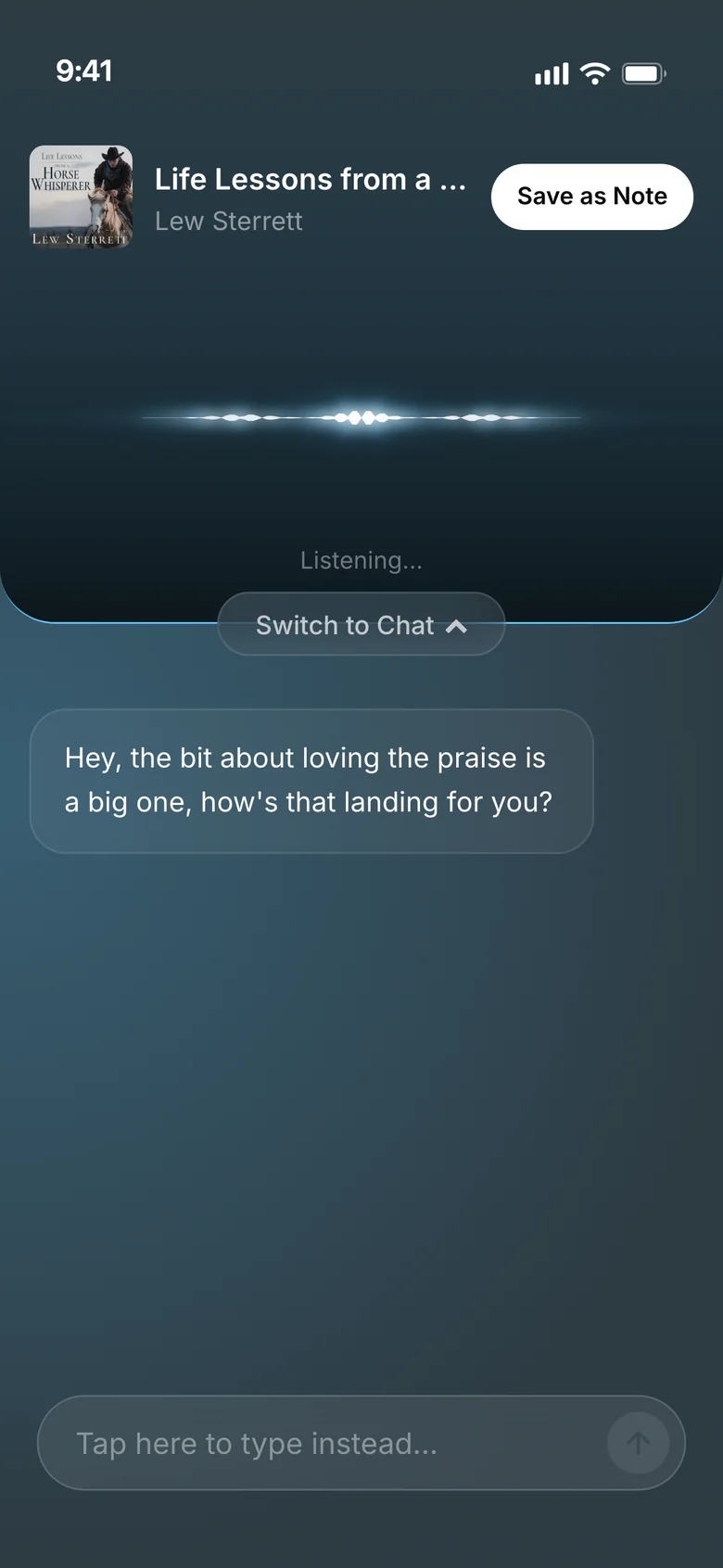
Shown on the demo copy of Lew Sterrett's Life Lessons from a Horse Whisperer.
Audiobooks
From manuscript to audiobook
Storybase reads the whole manuscript, plans what gets narrated and what gets skipped, and lets the author set how names are said. Then it writes the narrator's script for the author to approve, and AI voices, or a clone of the author's own voice, read it.
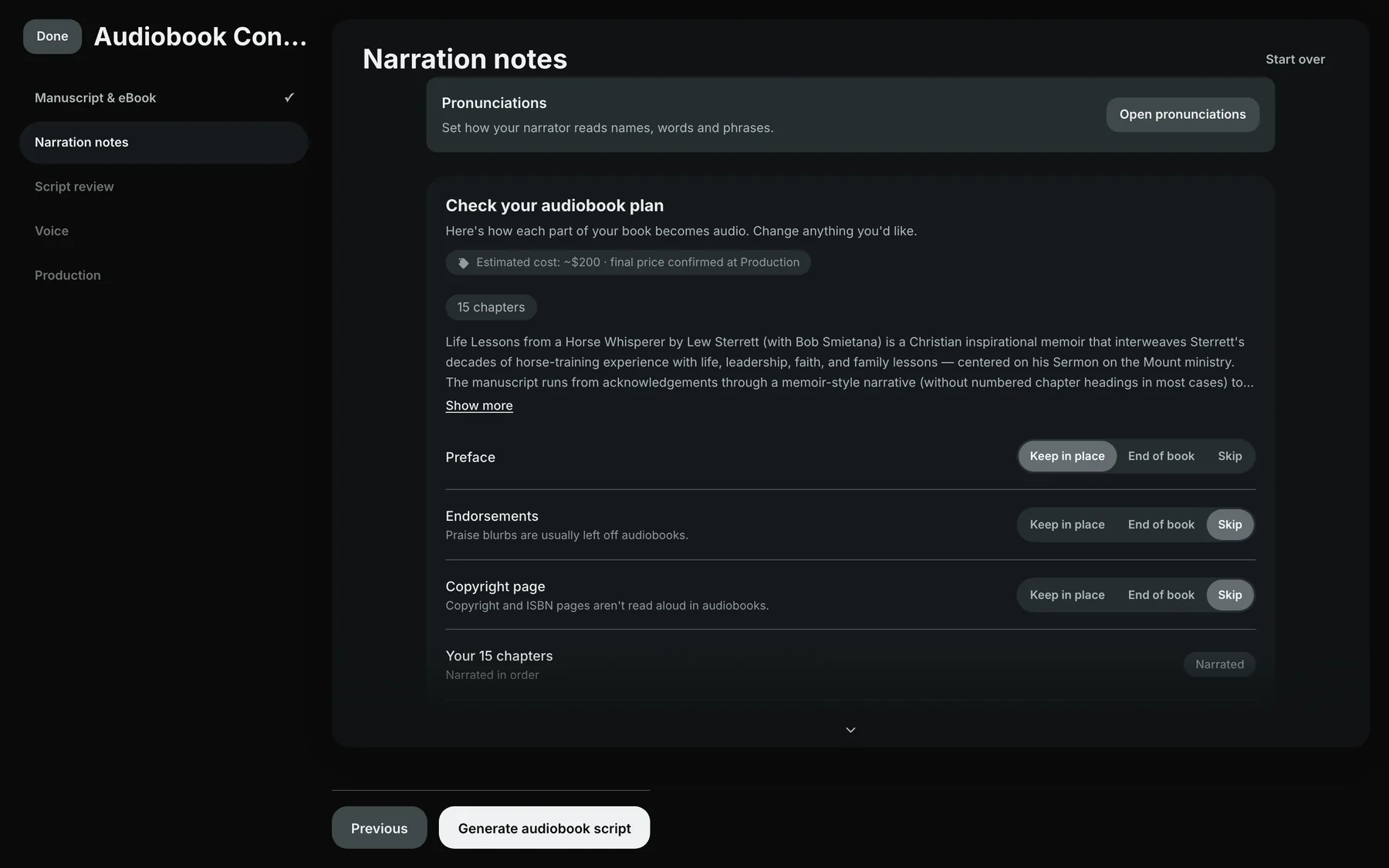
- 1Names said the right way
- 2Reads the whole manuscript
- 3Plans what's read aloud
- 4Then it writes the narrator's script
Covers
Cover directions from a short brief
Authors answer a few questions about their book and the look they want, and Storybase's AI art director designs cover directions to choose from. The title stays editable text, and the art changes when they describe what they want.
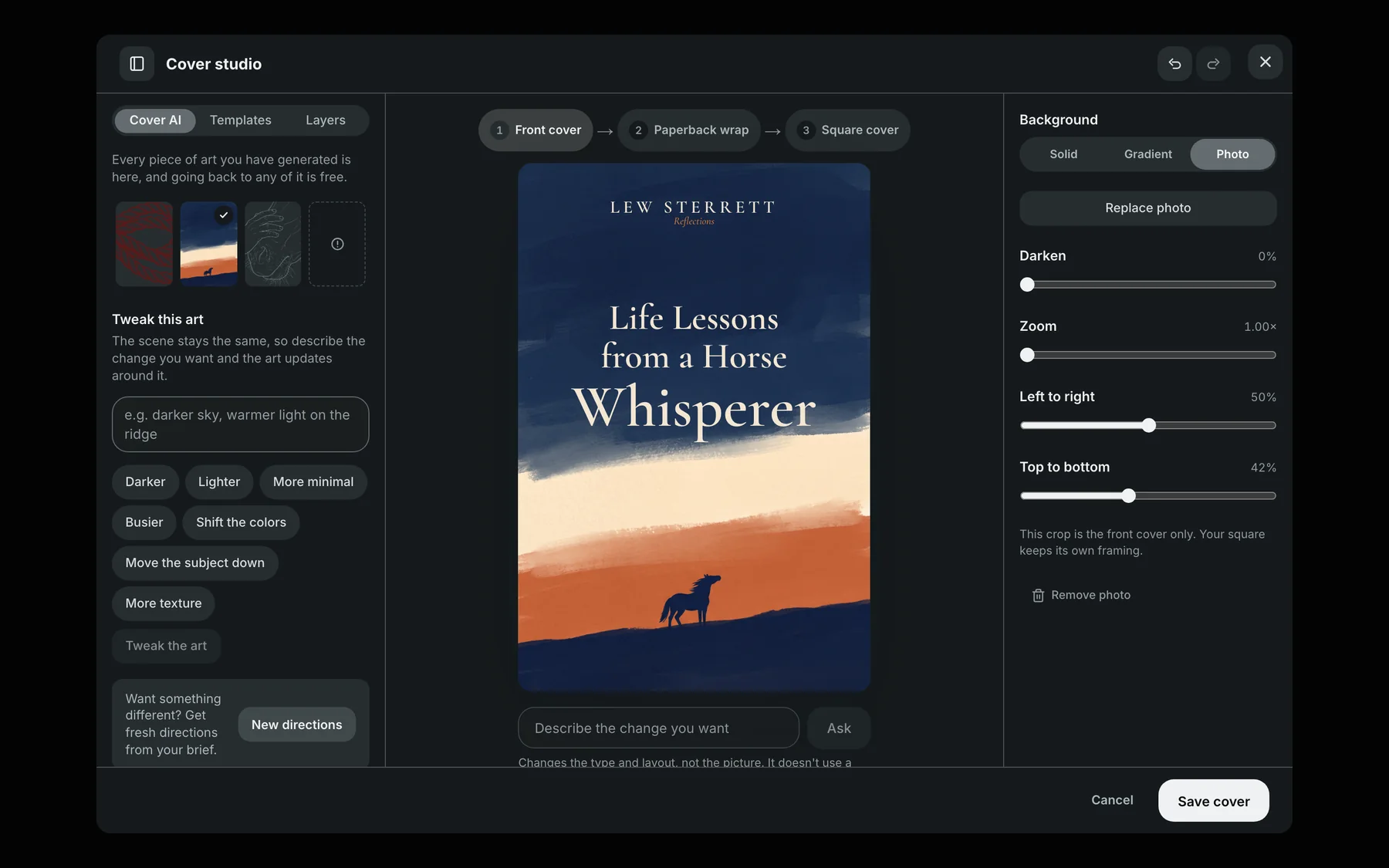
- 1Directions from a short design brief
- 2Tweak the art in plain words
- 3The title stays real, editable type
Email flows
Follow-up emails written from the book
Authors pick a book and a goal, and Storybase writes the emails that follow up with each reader, timed to how far they've read. Any email can be redrafted with AI, and nothing sends until the author turns the flow on.
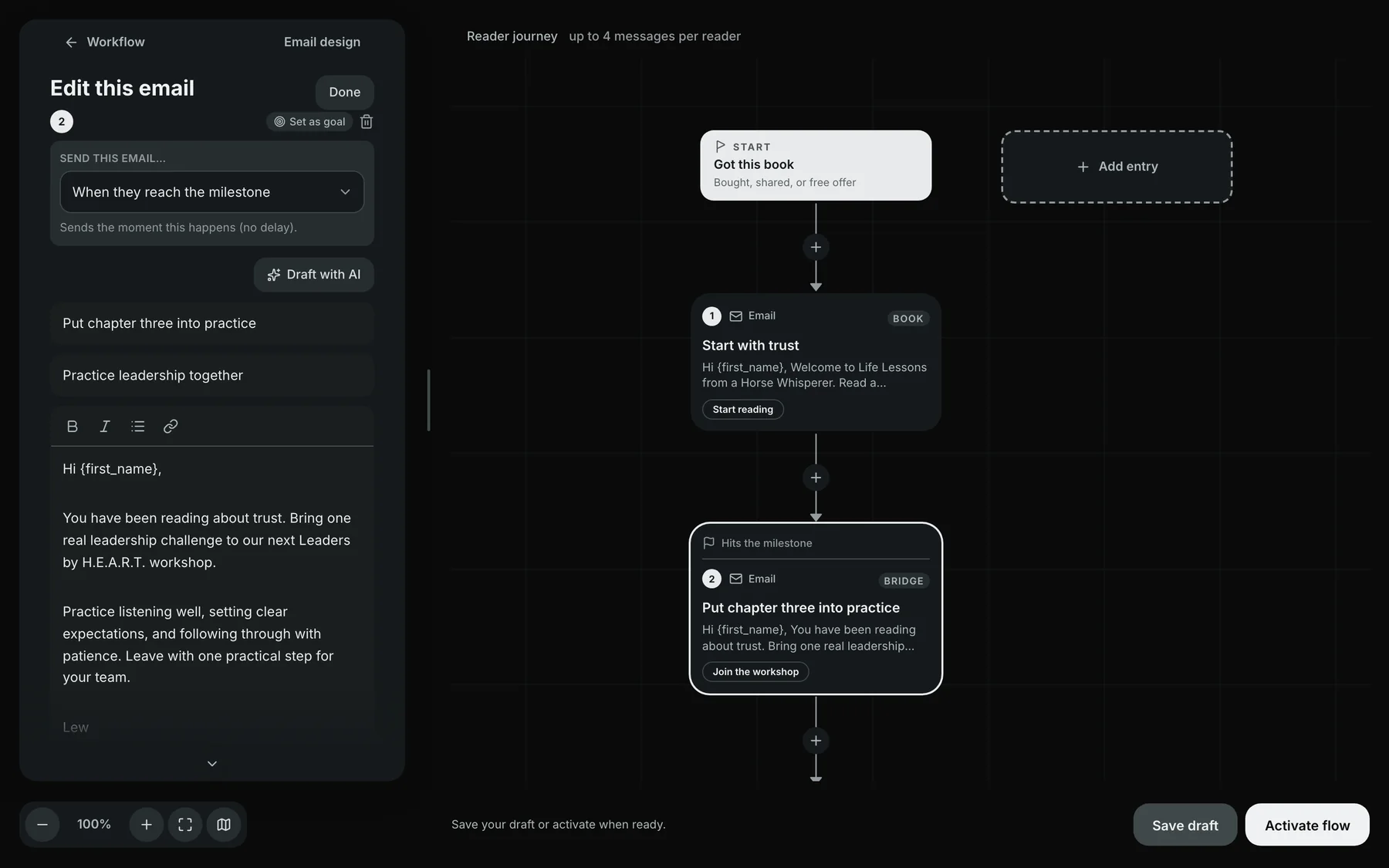
- 1Redraft any email with AI
- 2Written from the book
- 3Sent when the reader reaches a milestone
More AI in Storybase
- CopyeditA Chicago-style redline the author keeps, edits, or dismisses change by change.
- TranslationsTranslated, checked, and narrated, with the author approving each passage.
- Reflection quizzesQuestions at the end of a chapter, asked aloud if the reader wants.
- X-RayThe people, places, and terms in a book, a tap away while reading.
What this includes
What we build
Lead follow-up
Replies and reminders that reach new leads while they're still interested.
Request sorting
Messages and forms sorted, prioritized, and sent to the right person.
Workflow automation
The steps your team repeats every week, connected so they run on their own.
Approval queues
One place to read, edit, and approve what the system drafted.
Task tracking
A shared list of who's doing what, and where each task came from.
Assistants
AI assistants that draft replies, summarize, and answer questions from your own material.
Work
See it at work

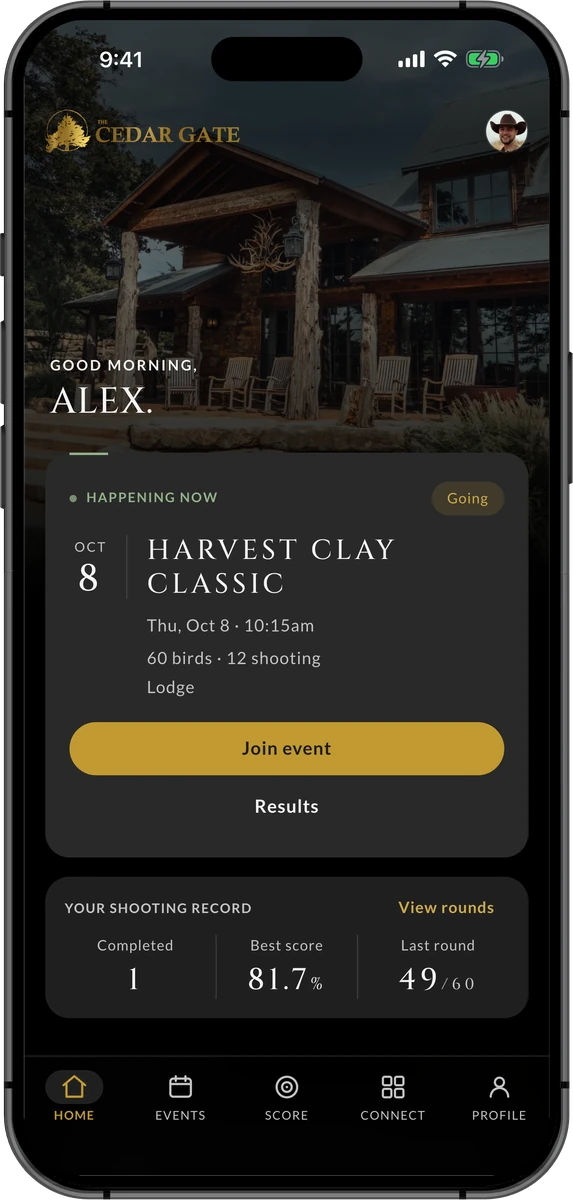
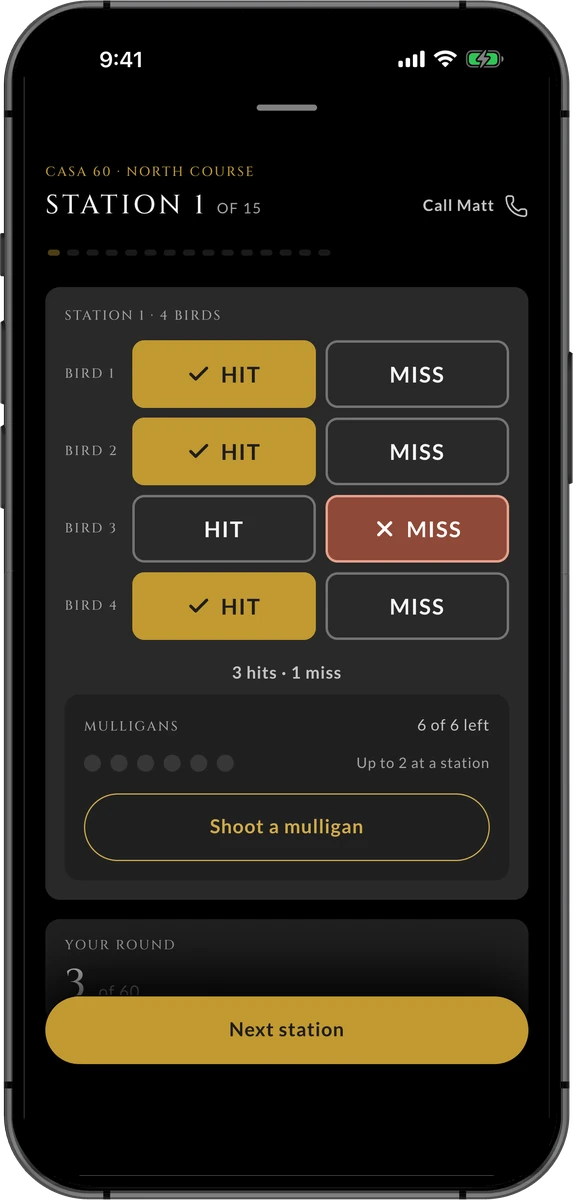
The Cedar Gate
Reimagining the member experience through technology
A member app, the screens in the barn, and an office system for the team, built as one experience so every member and guest feels known.
Read the story
Storybase
Building the infrastructure that lets a book keep working
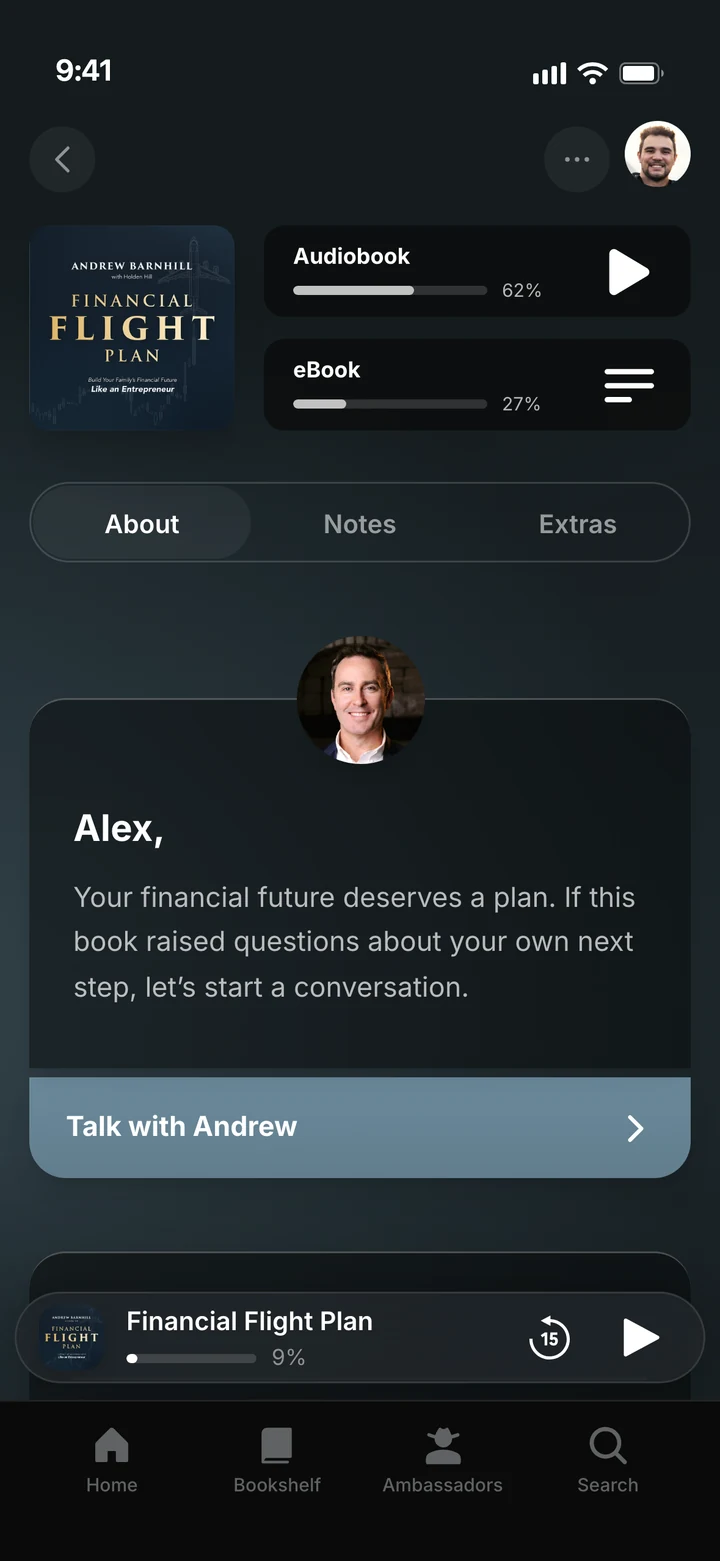
We kept asking what happens after someone reads the book. Storybase is our answer: a platform where authors publish, share, and turn readers into relationships.
Read the story
Where are you trying to take people?
Stop spinning your wheels. Let's create a plan that actually takes them there.
Start a Conversation